Text Expander for Founders: Save Hours Every Week


Founder & CEO, Slashit App
A text expander for founders turns repeated messages into short triggers. Type /update or /pilot and the full message appears, ready to personalize. Investor updates, cold outreach and hiring replies are where founders save the most time.
Founders juggle investor conversations, hiring outreach and customer support, often in the same afternoon. An AI text expander for founders is not a nice-to-have. It is one of the fastest ways to reclaim hours spent on messages you have already written before.
What Is a Text Expander, and Why Founders Use It Differently
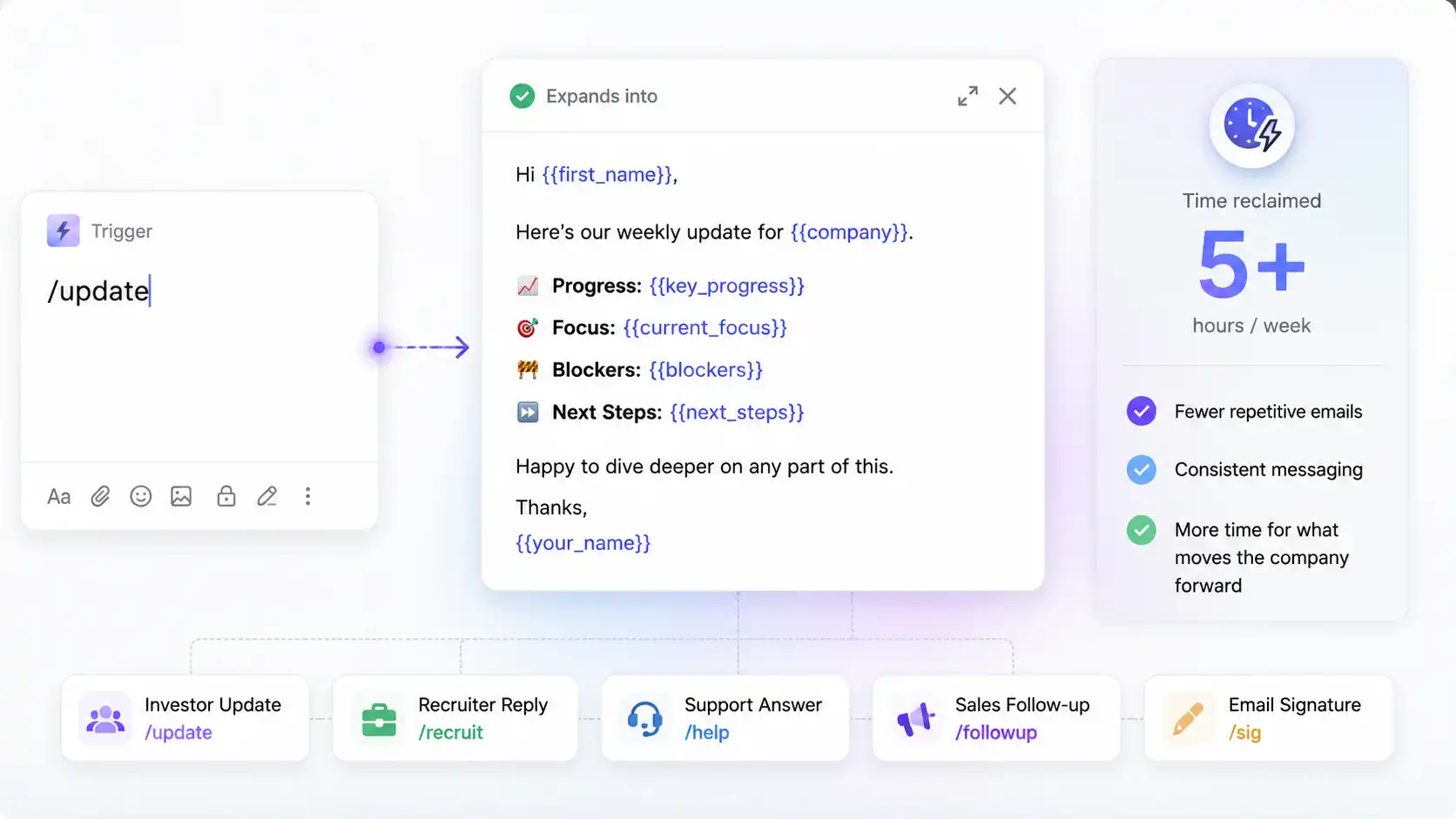
A text expander is software that turns a short trigger into a longer block of text. Type /sig and your signature appears.
Type /update and your investor update template fills the screen. That’s the whole mechanic.
The trigger itself can be anything. Some founders use a slash, like /update.
Others prefer a different prefix or a short code word. The trigger matters less than what it expands into.
For most people, a text expander saves typing. For founders, it saves something bigger. It saves the hours spent retyping the same fifteen messages across five inboxes.
A founder wears many hats. Investor, recruiter, support lead and salesperson, often before lunch.
The same tool that saves a support rep a few keystrokes works differently for a founder. It can save several conversations in a single day.
That gap is why founders need a different approach than a generic text expander. Here’s where the time actually goes.
General typing-speed advice will not fix this problem. The real issue is not typing speed. It is rebuilding the same message from a blank page, five times a day.
A Text Expander vs an AI Text Expander
A plain text expander only stores and replays fixed text. An AI text expander goes further, since it can rewrite, shorten or adjust tone on command.
Slashit falls into the second category. Snippets handle the repeatable parts, and the AI rewriter handles the parts that change, like tone or phrasing.
The Real Productivity Problem Founders Face
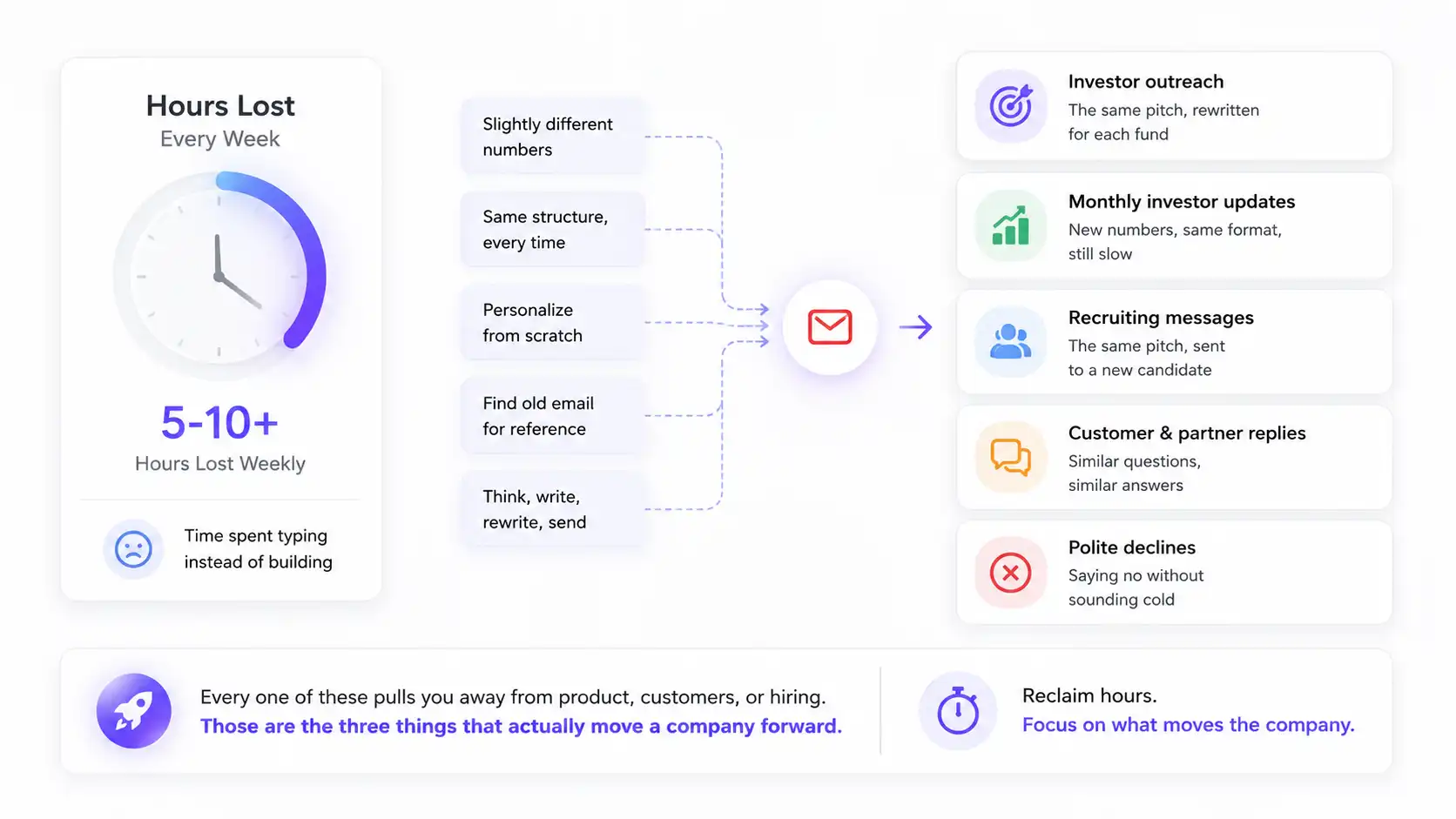
Founders lose hours every week retyping variations of the same core messages. Cold emails to investors change slightly each time.
Monthly updates keep the same structure but still take hours. Recruiting pitches repeat the same company story for the tenth time this month.
None of these tasks are hard. They are just repetitive. Repetitive work at founder-level volume adds up fast.
Picture a founder at midnight, finishing a fundraise update. The numbers changed, but the sentences did not.
That is not a fundraising problem. It is a typing problem, and typing problems have simple fixes.
Here’s where that time actually goes:
- Investor outreach: the same pitch, rewritten for each fund
- Monthly investor updates: new numbers, same format, still slow
- Recruiting messages: the same pitch, sent to a new candidate
- Customer and partner replies: similar questions, similar answers
- Polite declines: saying no without sounding cold
Every one of these pulls you away from product, customers or hiring. Those are the three things that actually move a company forward. A founder productivity tool exists to close exactly that gap.
What to Look for in a Text Expander for Founders
The right text expander for founders has to work everywhere you type. It also needs to personalize messages without extra manual editing.
A generic tool built for developers or support teams misses this. Founders need range across investor emails, LinkedIn messages and Slack replies, often in the same hour. Here are five things worth checking before you pick one.
- Cross-platform sync: your snippets should follow you from Gmail to LinkedIn to Slack, on Mac and Windows
- Dynamic placeholders: a good dynamic template tool prompts you to fill in the fund name or candidate role, so nothing reads like a copy-paste job
- An AI rewrite option: a drafted message sometimes needs a different tone, and an AI rewrite hotkey fixes that in place
- Team sharing: once you hire a chief of staff or an EA, they need your voice from day one
- Predictable pricing: early-stage budgets rarely have room for per-seat surprises
Get these right and you get a tool that compounds. Get them wrong and it becomes one more app you forget to open. Next, let’s see how the main options actually stack up.
What a Text Expander Can Actually Save You
A text expander saves the most time on tasks you repeat often but rewrite fully each time. Here is a simple way to picture it, using round numbers as an example rather than a guarantee.
| Weekly task | Typing it out | With a snippet |
|---|---|---|
| 10 investor or outreach emails | About 100 minutes | About 20 minutes |
| One investor update | About 4 hours | About 1 hour |
| 5 candidate replies | About 50 minutes | About 15 minutes |
Add that up and a founder can get several hours back most weeks. The exact number depends on how often you write these messages and how many templates you build. Either way, the pattern holds: the more repetitive the message, the more a snippet pays off.
The goal is not speed for its own sake. It is spending founder hours on founder-only work, not on retyping.
Best Text Expanders for Founders, Compared
TextExpander, Espanso and Slashit are the three tools founders compare most, and each one wins on a different priority. TextExpander wins on polish, Espanso wins on price, and Slashit wins on speed, since it is the only one built around a founder’s actual workday instead of general typing.
| Tool | Best for | AI rewriter | Platforms | Starting price |
|---|---|---|---|---|
| TextExpander | Teams that want a mature tool with years of polish and fill-in-field analytics | No | Mac, Windows, Chrome | About $3.33/month |
| Espanso | Founders comfortable editing YAML config files for a free, privacy-first setup | No | Windows, Mac, Linux | Free |
| Slashit | Founders who want snippets and AI rewriting on the same hotkey, built for investor, hiring and customer messages | Yes | Mac, Windows | Free, premium from $5/month |
TextExpander
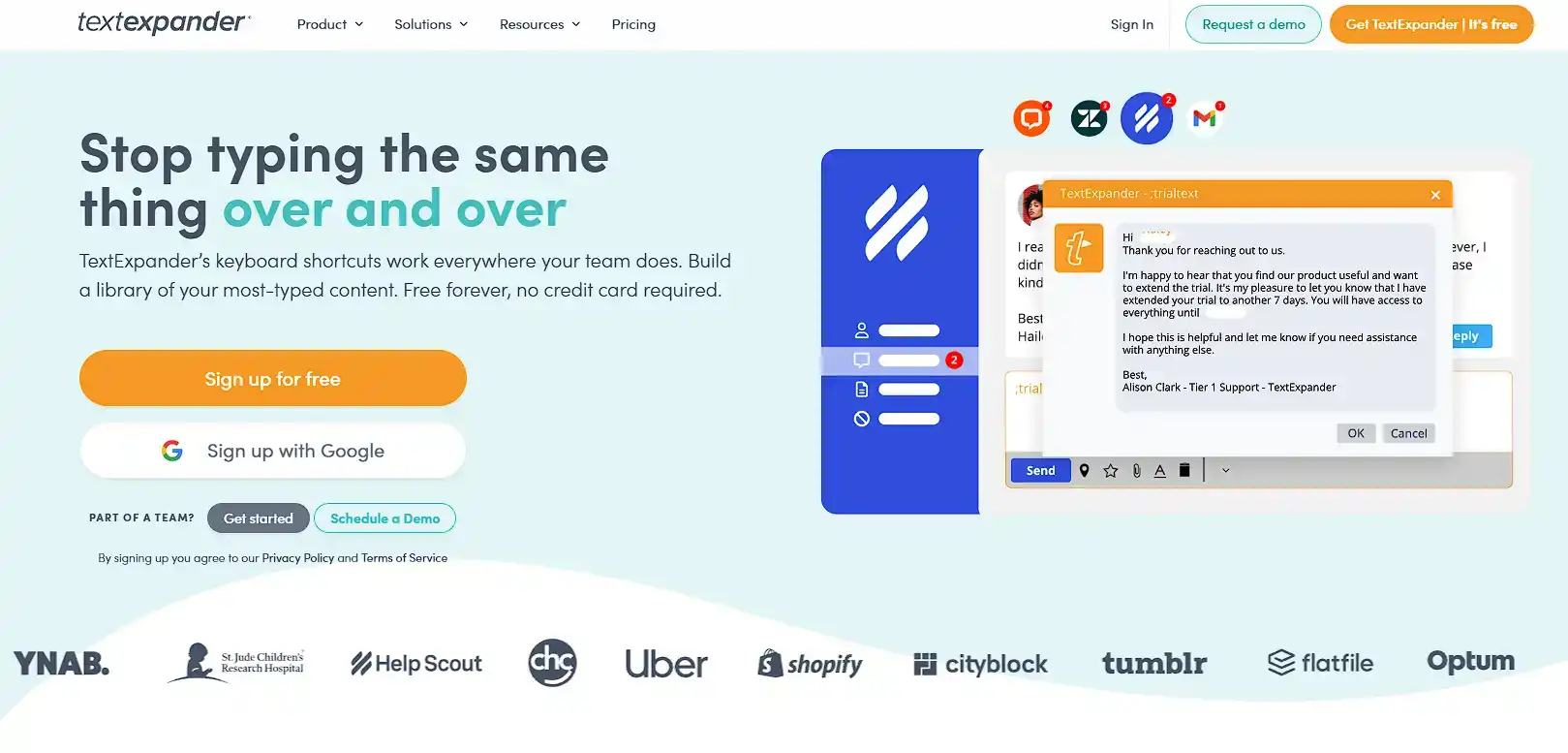
TextExpander is the most established name in text expansion. Plenty of teams rely on it for template sharing and years of polish.
That said, it has no built-in AI rewriter, so tone changes still mean manual editing. It also runs on a per-seat pricing model once you add teammates, which can get expensive fast for an early-stage team.
The TextExpander alternative comparison covers the full breakdown.
Espanso
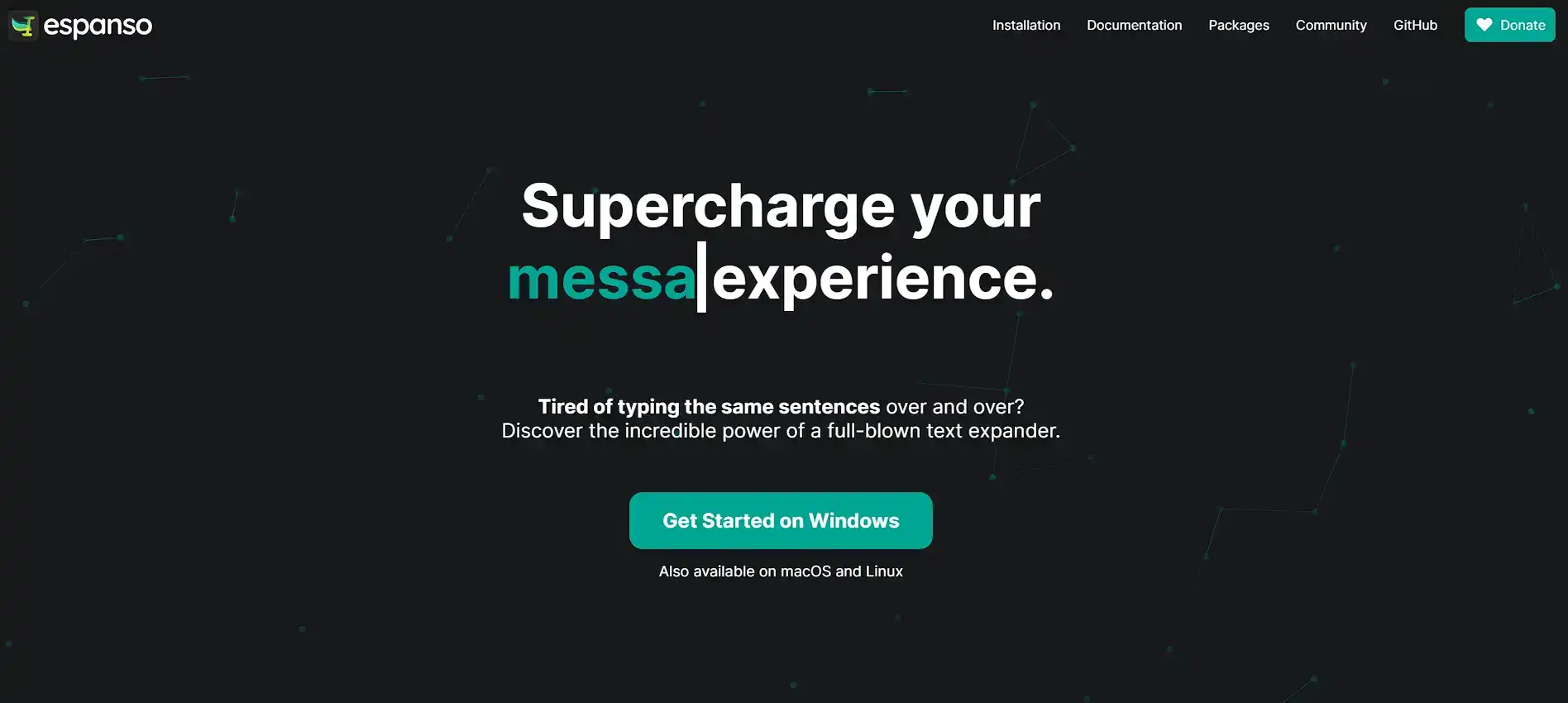
Espanso is free, open source and privacy-first. That makes it appealing if budget is your only concern.
The catch is setup. It runs on YAML config files, not a visual editor, and most founders do not have time to learn a config language just to save time typing. It also has no AI rewriting layer, so every tone change is manual.
Checkout the Espanso alternative comparison covers where it holds up and where it falls short.
Slashit
Slashit is the only one of the three built specifically around a founder’s inbox, pairing snippet expansion with an AI rewrite hotkey instead of forcing you to choose one or the other. Type /vc_intro and your investor cold email appears.
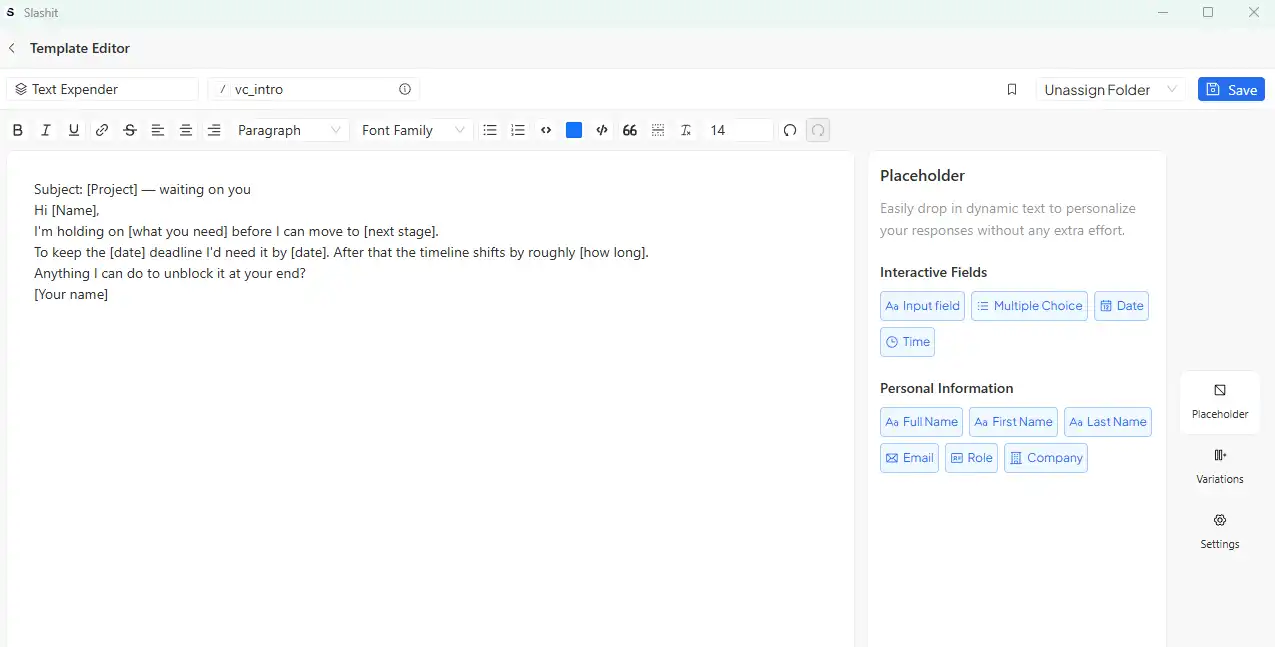
Type /decline and a warm, on-brand pass drops in. Both come as dynamic templates, so Slashit prompts you for the fund name or candidate role instead of leaving you to fill in the blanks by hand.
The Magical AI rewriter sits on the same hotkey. Highlight a reply that sounds too blunt or too desperate, hit the shortcut and pick a tone, and Slashit rewrites it in place, in whatever app you’re already using. No tab-switching to ChatGPT, no copy-paste cycle.
It works directly inside Gmail, LinkedIn, Slack, Notion, your CRM and your support tool, so there is nothing new to integrate.
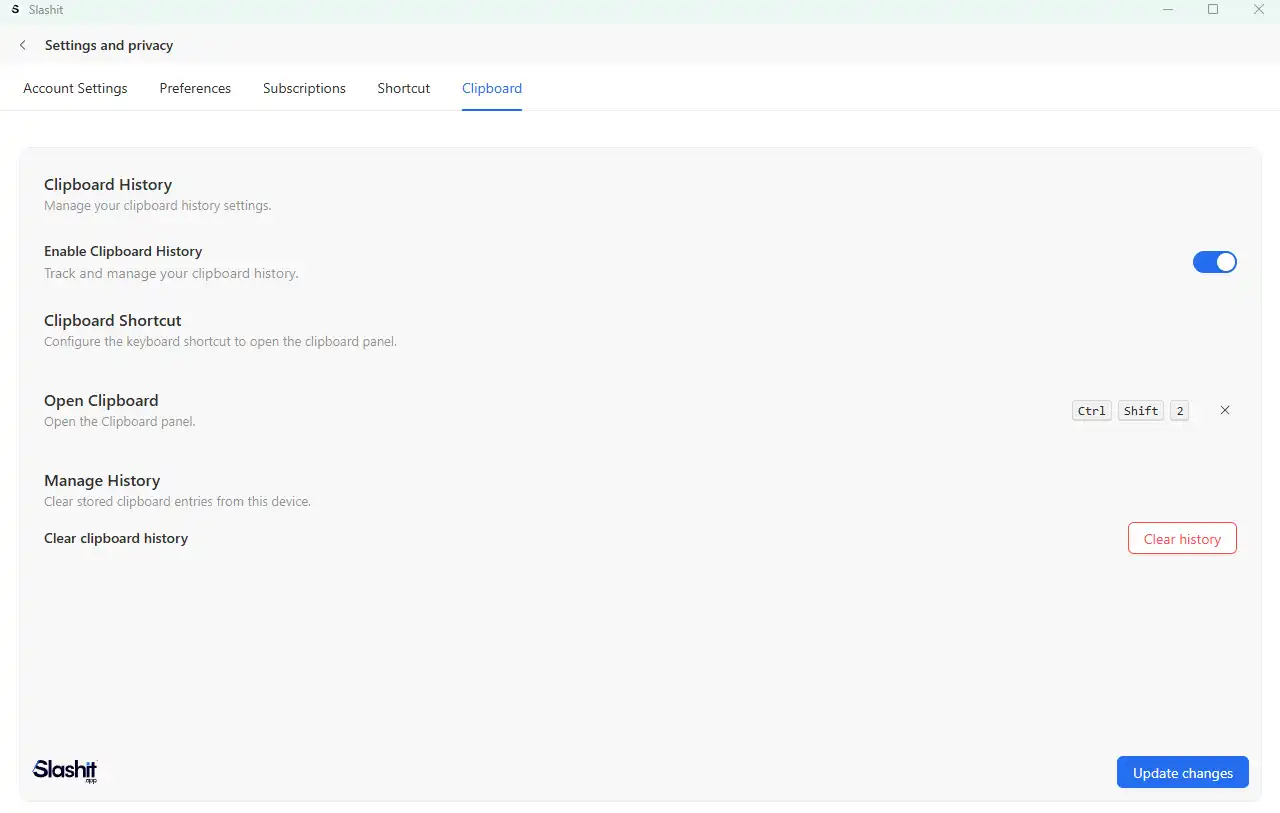
A built-in clipboard history keeps your cap table link or Calendly URL one paste away, and team sharing means your first chief of staff or recruiter inherits your investor templates and decline patterns from day one instead of guessing at your voice.
Slashit starts free, with premium from $5 a month. That pairing, expansion plus rewriting, at founder-friendly pricing, is what the next section covers in detail.
How Slashit Helps Founders Move Faster
Slashit pairs snippet expansion with an AI rewrite hotkey. That means founders can send and polish messages without switching apps.
It works directly inside Gmail, LinkedIn, Slack and Notion, so there is no new tab to open. Here is how the core pieces work together.
Snippets for repeat messages. Type /vc_intro and your investor cold email appears, ready to personalize. Every snippet you save is one you never type from scratch again.
Dynamic templates with placeholders. Slashit prompts you to fill in fields like fund name or candidate role as the snippet expands. The message still feels personal, even though you did not write it fresh.
AI rewriter on a hotkey. Highlight a reply that sounds too blunt, hit the hotkey, and pick a tone. Slashit rewrites it in place.
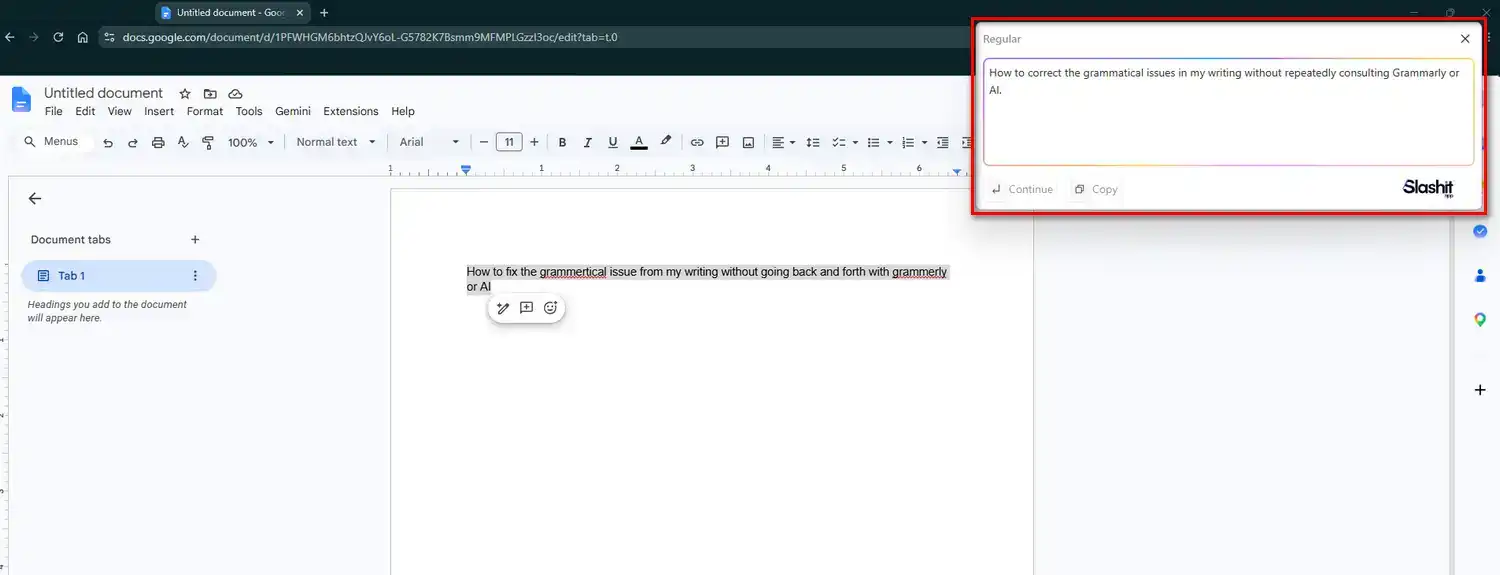
Daniel R. is a technical founder and Slashit customer. He said the rewriter once caught a candidate message that sounded too desperate. The fix helped close the hire two weeks later.
Clipboard history built in. The cap table link or Calendly URL you copied an hour ago is one paste away. That is thanks to the built-in clipboard history.
Team sharing for your first hires. Once a chief of staff or recruiter joins, they inherit your investor templates and decline patterns right away. Your voice stays consistent even when you are not the one typing.
That covers the mechanism. Now let’s turn it into templates you can copy today.
Text Expander Templates Every Founder Should Build
Start with templates for investor updates, cold outreach and hiring. Those three cover most of a founder’s repeat typing. If you have written a message more than twice, it belongs in your template library.
Building a small library like this is what makes a text expander for founders actually pay off. Used as a text expander for investor updates alone, the /update template can save hours each month.
Here are five worth building first:
- /update: your monthly investor update, with placeholders for metrics, one win, one challenge and your current ask
- /pilot: a short, personalized cold outreach message with your value proposition and a proposed timeline
- /decline: a polite pass on a partnership or intro request that keeps the door open
- /vc_intro: a first-touch investor email built around a warm intro
- /recruit_followup: a candidate reply that includes comp range, next steps and company context
Here is what /update might expand into, before you fill in the placeholders:
Hi {investor_name}, here is our update for {month}. Revenue: {mrr}. New customers: {count}. One win: {win}. One challenge: {challenge}. Our ask: {ask}.
You fill in six fields instead of writing six paragraphs. Once these five templates exist, most of your recurring inbox traffic gets easier to answer. Next, here is what an actual day looks like once the habit sticks.
A Founder’s Day With a Text Expander, Before and After
The clearest way to see the value is a before and after comparison. Before, a founder might spend four hours on one monthly investor update. The structure repeats every month, but it still eats the whole afternoon.
After building a template, that same update takes closer to an hour.
Lena K. is a Series A founder and Slashit customer. She said her update process dropped from four hours to about an hour. It now goes out on time, too.
Cold outreach follows a similar pattern. Alex P., a seed-stage founder, said templates let him send twenty personalized investor emails before lunch. He used to send a handful by hand, and his response rate doubled.
Hiring follows the same curve. A recruiting message that once took ten minutes to personalize now takes one.
The structure and tone are already set. Used as a text expander for cold outreach, the same /pilot template works for investors and candidates alike.
That is not a small win. It is the difference between spending a day typing and spending a day building. Setting it up takes far less time than most founders expect.
Common Mistakes Founders Make With a Text Expander
The most common mistake is building too many snippets before using any of them. Start small, and let the library grow from real need, not from a planning session.
A second mistake is hard-coding sensitive details into a template. Names, numbers and terms can change fast. A stale detail in a saved snippet is easy to miss.
A third mistake is skipping the AI rewrite step. A template gets the structure right, but tone still needs a quick check before you hit send. That is especially true for investor and hiring messages, where tone carries real weight.
A fourth mistake is never sharing templates with a first hire. Once someone else sends messages on your behalf, they need the same voice and structure you use. Skipping that step creates inconsistency fast.
A fifth mistake is skipping the free trial. Testing a tool on real messages tells you more in a day than a feature list ever will.
How to Set Up a Text Expander in Under 10 Minutes
Setting up a text expander takes four steps. Most founders finish in under ten minutes. Here is the order that works best.
- Install the app. Pick a tool that works on your operating system without a config file on day one. Most desktop tools install in under a minute.
- Create one snippet first. Start with something you type constantly, like your investor one-liner or email signature. That first win builds the habit fast.
- Add your top three templates. Investor update, cold outreach and hiring reply cover most repeat traffic. Build placeholders in for anything that changes each time.
- Test it in a real message. Send one real email using the snippet before building anything else. That confirms the tool fits your actual workflow.
Most tools, including Slashit, offer a free plan to test this before committing. Once the basics work, it is worth checking one more thing before loading in sensitive templates.
Is It Safe to Use a Text Expander for Investor and Customer Data?
Yes, as long as sensitive details stay as placeholders instead of hard-coded text. A text expander only expands what you save into it. Keep financials, deal terms or compensation numbers out of the saved template, and use placeholders instead.
This matters more for founders than most users. Investor and customer conversations often include real numbers and real names.
A placeholder like {mrr} keeps the template reusable. The real figure only appears once you type it in. The Slashit customer stories show how other founders handle this in practice.
That covers trust. Let’s close with the questions founders ask most before picking a tool.
FAQs About Text Expanders for Founders
What is the best text expander for founders?
It depends on your priority. Slashit fits founders who want AI rewriting built in. TextExpander fits teams that want a mature, established tool. Espanso fits anyone comfortable with config files who wants a free option.
How much time does a text expander actually save?
Most founders report saving several hours a week. Some save closer to a full workday a month once their library covers frequent messages.
Can I personalize a template instead of sending the same message to everyone?
Yes. Dynamic placeholders let you fill in the fund name, candidate details or a specific metric each time. The message still reads as personal.
Does a text expander work in Gmail and LinkedIn?
Most modern text expanders, including Slashit, work in any app where you can type. That covers Gmail, LinkedIn, Slack, Notion and your CRM.
Should my first hire use the same templates I do?
Yes. Sharing your snippet library with a chief of staff or recruiter keeps your voice consistent. That matters more than it sounds, especially in investor and candidate conversations.
How many templates should a founder start with?
Start with three to five. Investor updates, cold outreach and hiring replies cover most of the repeat traffic in a founder’s inbox. You can browse more text expander tools and comparisons once those three are working well.
Is it worth switching tools if I already use one?
Only if your current tool is missing something you need daily, like AI rewriting or team sharing. If daily typing still feels slow, read more on reducing repetitive communication work.
Final Thoughts: Stop Being the Bottleneck
A text expander will not write your company for you. But it will stop you from being the typing bottleneck inside it.
Founders rarely run out of ideas. They run out of hours, usually to the same fifteen messages typed one more time.
A tool built for that exact problem, like Slashit for founders, helps here. It turns hours of retyping into minutes of personalizing. That is time back for product, for customers and for your next hire.
Among the options covered here, Slashit is built to be the best text expander for founders. It handles investors, hiring and customers at once. Set up your first snippet today, and see how much of your week it gives back.
// more articles
 Productivity
 10 Best Grammarly Alternatives in 2026: Free and Paid
Comparing the best Grammarly alternatives for 2026 by price, AI customization, and use case, so you can find the right fit fast and skip the guesswork.
 Productivity
 Text Expander for Managers: Stop Retyping the Same Messages
A text expander for managers turns repeated messages into instant shortcuts. See how tools like Slashit save managers hours every week.
 Productivity
 Best AI Tools for Founders and the One Most Lists Miss
The best AI tools for founders in 2026, for building, research, meetings, and the daily outreach most lists forget. Compare tools and pricing.

// blog updates
