Corporate Trainer Session Outline Template: With Examples


Founder & CEO, Slashit App
It’s 9 PM the night before your session and you’re staring at a blank document again. You know your content cold. You just don’t know how to shape it into sixty focused minutes instead of a rambling info dump.
That’s the gap a session outline fills. It turns your knowledge into a session that starts on time, holds attention, and actually lands. Below you’ll find a free corporate trainer session outline template you can copy right now, a full breakdown of what each part does, and a step by step process for building your own from scratch.
What Is a Corporate Trainer Session Outline Template?
A corporate trainer session outline template is a reusable document that maps out everything you need to run one training session. It covers who the session is for, what it teaches, how long each part takes, and how you’ll check it worked.
Don’t confuse this with a full training plan. A training plan covers an entire program across weeks or months. A session outline covers a single class, workshop, or meeting block, usually somewhere between thirty minutes and a few hours. Every solid outline rests on three pillars: session metadata, clear objectives, and a timed agenda that breaks the hour into workable chunks.
Once you have that shell built, you can reuse it for every new topic you teach. That’s the whole point of a template: build the structure once, refill it forever.
Why a Structured Session Outline Matters for Corporate Trainers
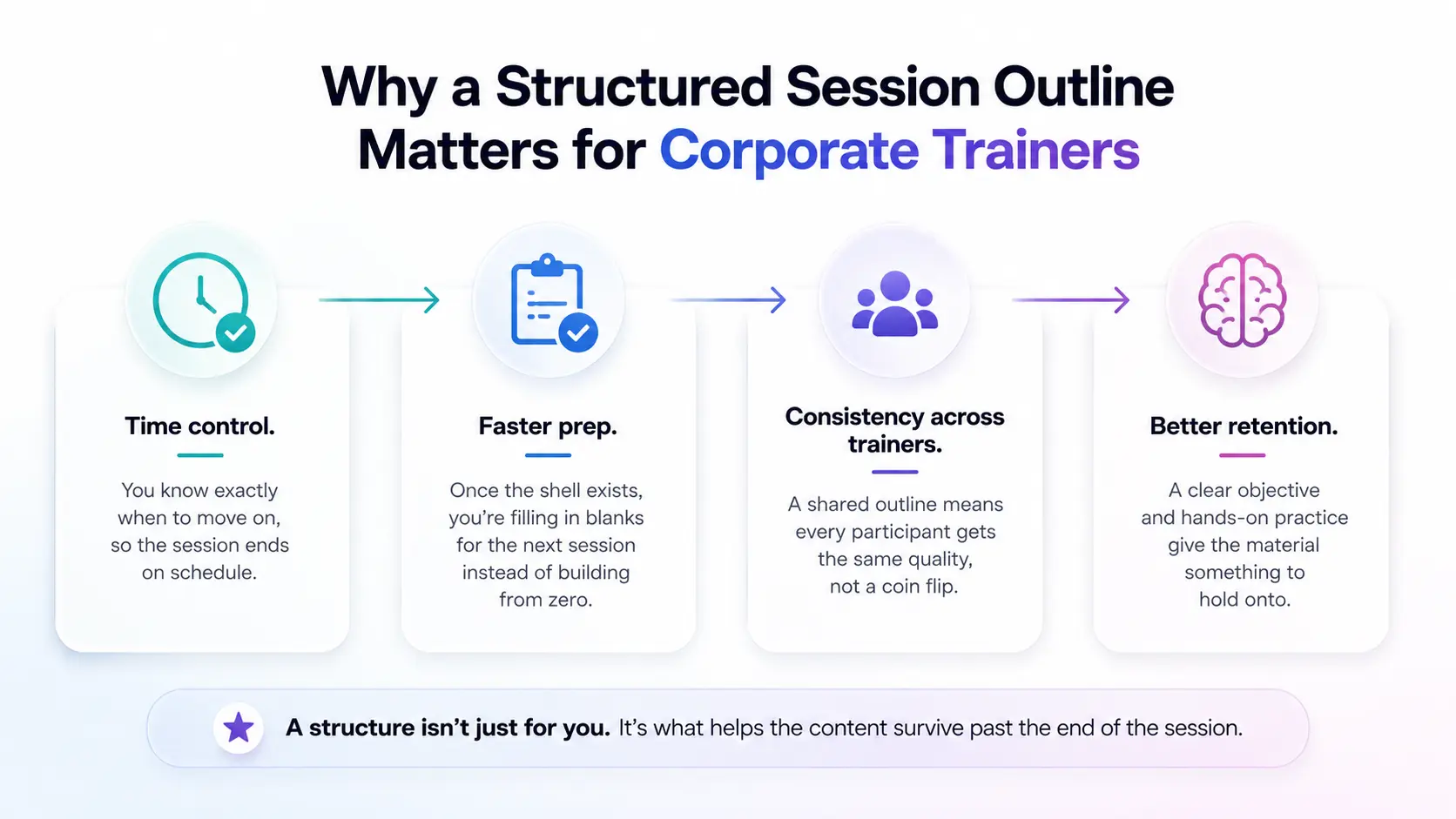
A structured outline keeps your session on time, cuts your prep work for future sessions, and gives participants a clear reason to stay locked in.
Without one, sessions drift. You spend twenty minutes on an icebreaker that should’ve taken five, then rush the practice activity that was supposed to make the lesson stick. A written outline stops that drift before it starts. Here’s what a good structure actually buys you:
- Time control. You know exactly when to move on, so the session ends on schedule instead of running twenty minutes over.
- Faster prep. Once the shell exists, you’re filling in blanks for the next session instead of building from zero.
- Consistency across trainers. If three people run the same onboarding session, a shared outline means every new hire gets the same quality, not a coin flip depending on who’s teaching.
- Better retention. People forget most of what they hear in an unstructured session within a day. A clear objective and a hands-on practice block give the material something to hold onto.
That last point matters more than most trainers give it credit for. A structure isn’t just for you. It’s what helps the content survive past the end of the session.
Key Components of a Corporate Trainer Session Outline Template
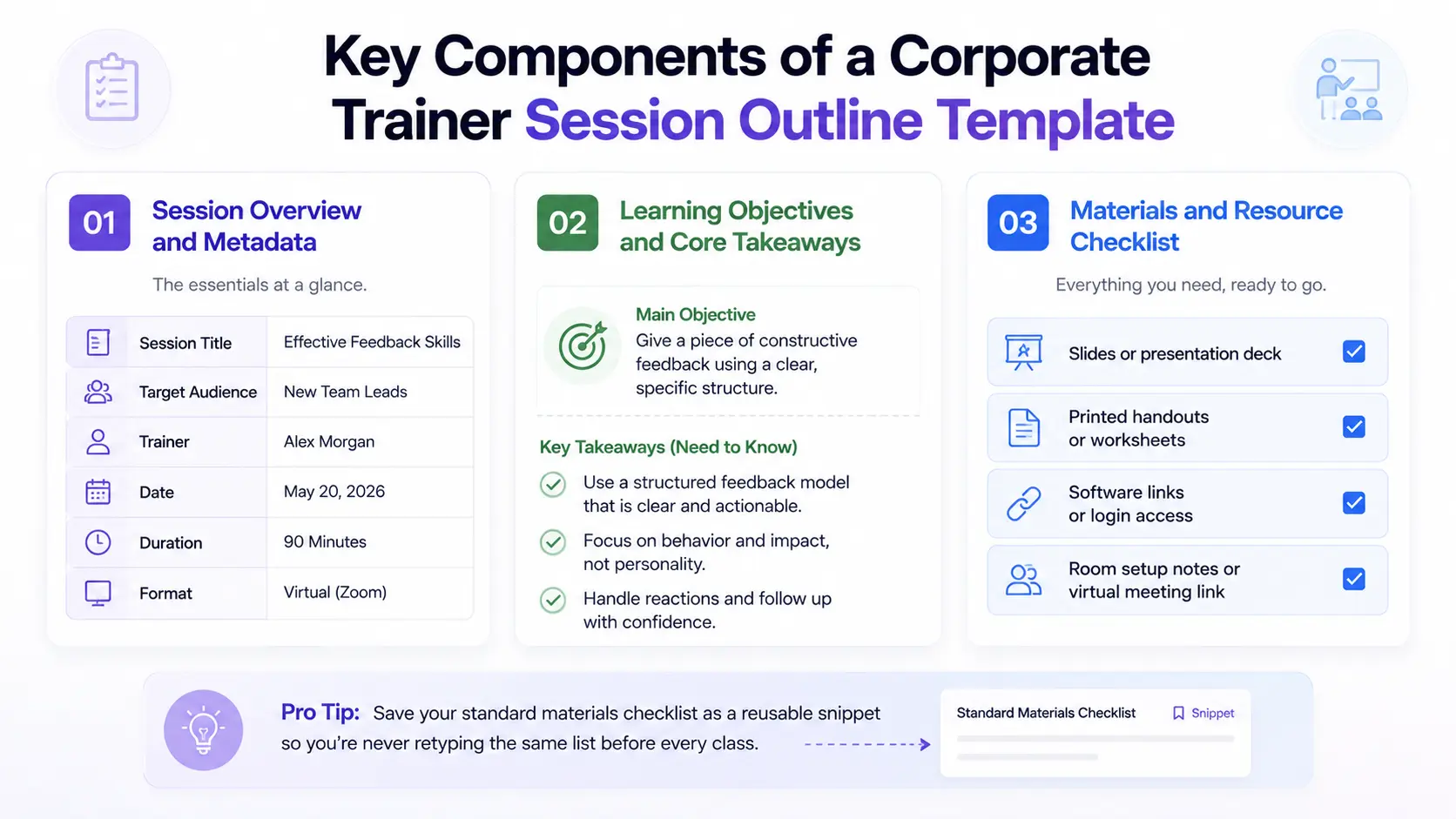
Every solid outline needs five parts: a session overview, learning objectives, a materials checklist, a timed agenda, and an evaluation step.
Skip any one of these and something breaks down later, whether that’s confusion about the goal or a session that runs wildly over time. Here’s what belongs in each part.
Session Overview and Metadata
The overview is the header of your outline. It should include the session title, the target audience, your name as trainer, the date and duration, and the format, whether that’s in person or virtual.
This part feels like paperwork, but it earns its place. It’s what a manager glances at to confirm the right people are in the room, and it’s your record if anyone ever asks what training a team completed and when.
Learning Objectives and Core Takeaways
Your objective states exactly what a learner can do by the end of the session, not what topics you plan to cover. That distinction changes everything about how you write it.
Weak objective: “Understand feedback skills.” Strong objective: “Give a piece of constructive feedback using a clear, specific structure.” Notice the second one uses an action verb you can actually observe. Pair your main objective with three key takeaways, the need to know points a learner should remember even if they forget everything else.
Materials and Resource Checklist
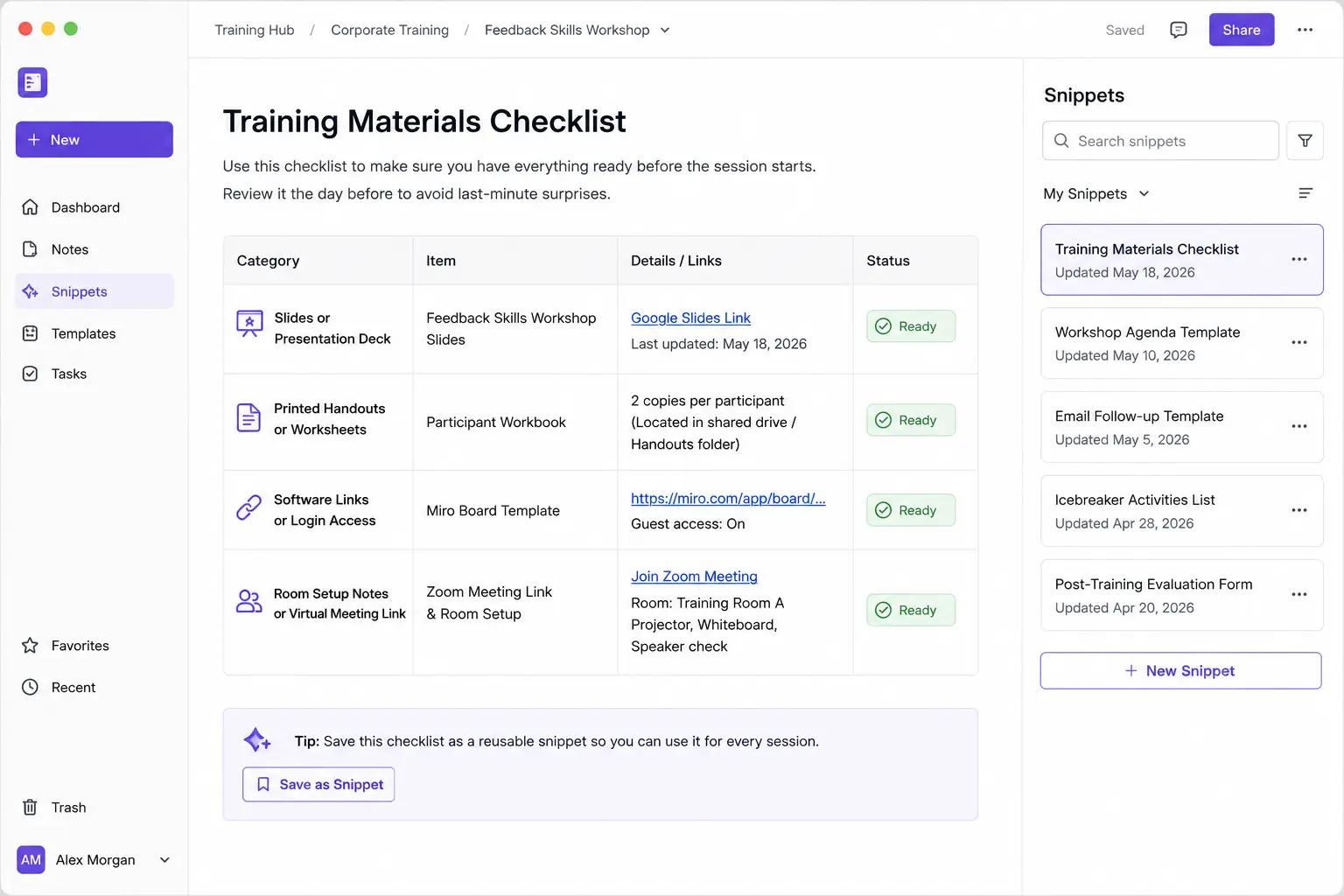
List every material you need before the session starts so you’re not scrambling for a cable or a missing handout while people are watching.
A typical checklist includes:
- Slides or presentation deck
- Printed handouts or worksheets
- Software links or login access
- Room setup notes or virtual meeting link
If you run similar sessions often, save your standard materials checklist as a reusable snippet so you’re never retyping the same list from memory before every class.
Timed Agenda Breakdown
Break your session into five timed blocks: introduction, core content, practice, Q&A, and evaluation. Each block gets a rough percentage of your total time so nothing eats into the next.
| Block | Share of Time | 60-Minute Example |
|---|---|---|
| Introduction | 10% | 0:00 to 0:06 |
| Core content | 35% | 0:06 to 0:27 |
| Practice activity | 30% | 0:27 to 0:45 |
| Q&A and wrap-up | 15% | 0:45 to 0:54 |
| Evaluation | 10% | 0:54 to 1:00 |
Notice the practice block gets nearly a third of the session. That’s not an accident. Content without application rarely sticks, so the agenda has to protect that time on purpose, not leave it as an afterthought if time allows.
Evaluation and Feedback Section
Close every session by collecting quick feedback so you catch problems after this one session, not after the whole program is already over.
You don’t need a long survey to make this work. A three question pulse check, a simple thumbs up or down poll, or a one line exit ticket asking “what’s one thing you’ll use this week” all do the job in under two minutes.
With all five pieces in place, you’re ready to see them work together. Here’s the full template, filled in and ready to copy.
Free Corporate Trainer Session Outline Template You Can Copy and Use
Here’s the complete template. Copy it into a doc, a slide, or straight into your LMS and fill in the blanks for your own session.
SESSION OVERVIEW
Session Title: [Name of the training session]
Target Audience: [Who this session is for]
Trainer Name: [Your name]
Date & Duration: [Date] | [Total length]
Format: [In-person room or virtual link]
OBJECTIVES
Core Objective: [What learners can do by the end]
Key Takeaways:
1. [Need-to-know point one]
2. [Need-to-know point two]
3. [Need-to-know point three]
MATERIALS NEEDED
- [Slides, handouts, software, links]
TIMED AGENDA
00:00–00:06 | Introduction
- Welcome and state the goal
- Quick icebreaker or engagement question
00:06–00:27 | Core Content
- Deliver main concepts
- Share a real example or case study
00:27–00:45 | Practice Activity
- Group task, role-play, or hands-on exercise
00:45–00:54 | Q&A and Wrap-Up
- Answer questions
- Summarize key takeaways
00:54–01:00 | Evaluation
- Quick feedback form or exit ticket
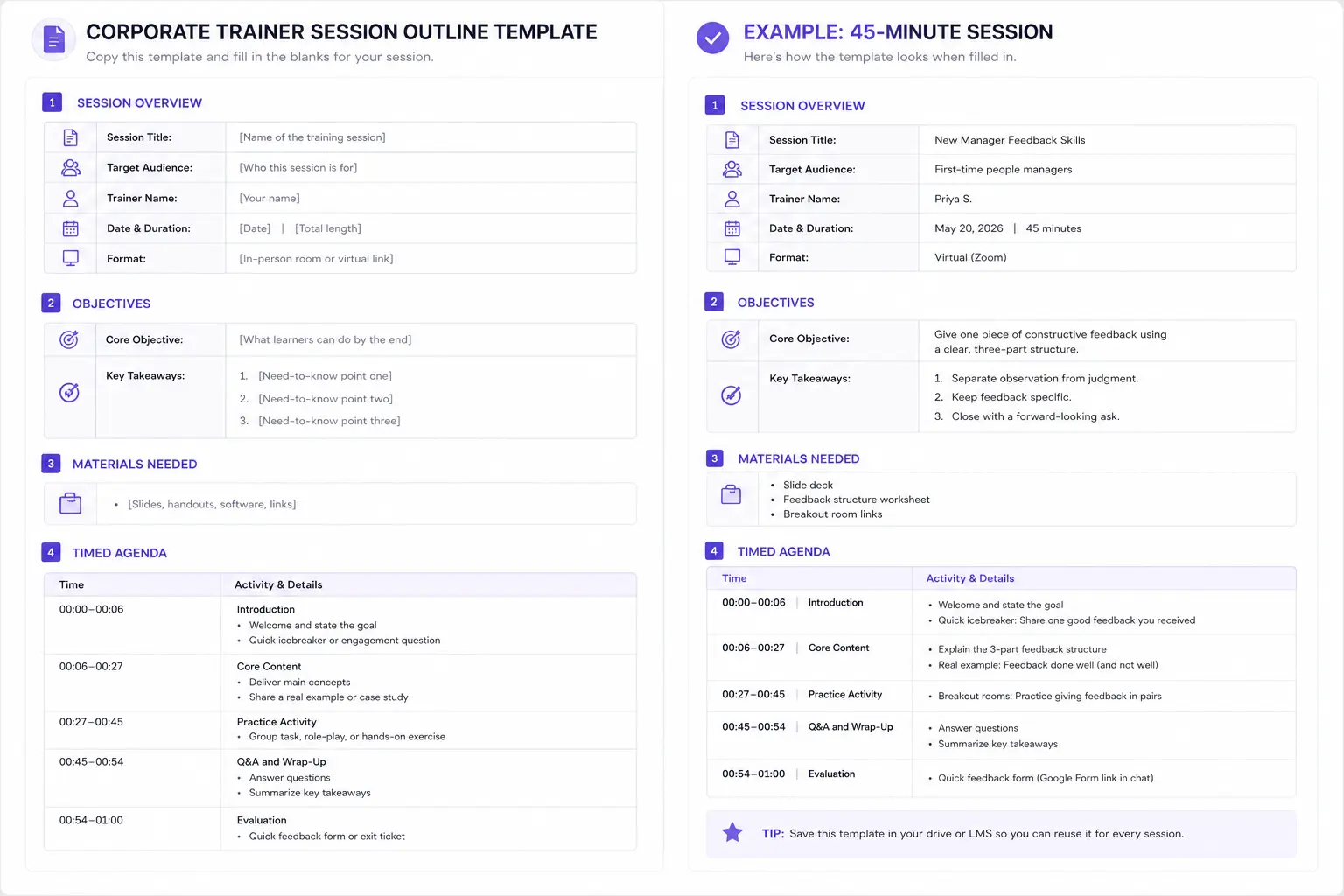
To show how this looks in practice, here’s a filled example for a 45-minute session:
Session Title: New Manager Feedback Skills Target Audience: First-time people managers Trainer: Priya S. Duration: 45 minutes, virtual Core Objective: Give one piece of constructive feedback using a clear, three-part structure. Key Takeaways: Separate observation from judgment. Keep feedback specific. Close with a forward-looking ask. Materials: Slide deck, feedback structure worksheet, breakout room links.
This is exactly the kind of shell you’ll want saved somewhere you can grab it fast, which is a point we’ll come back to shortly. First, let’s walk through how to build a version of this outline from the ground up.
How to Build Your Own Training Session Outline, Step by Step
Building your own outline takes five steps: define the outcome, reverse engineer the agenda, draft objectives before slides, plan interactive moments, and save the shell for reuse.
- Define the single outcome first. Before you touch a slide, decide the one thing learners must walk away able to do. Everything else in the session serves that outcome.
- Reverse engineer the agenda from your total time. If you have 45 minutes, use the percentage breakdown above to block out introduction, content, practice, Q&A, and evaluation before you fill in any content.
- Draft objectives before slides. Write your learning objective and key takeaways first. Slides built before objectives tend to wander because there’s no target to aim at.
- Plan one interactive moment for every 15 to 20 minutes of content. A question, a poll, a quick discussion, anything that breaks passive listening keeps attention from fading.
- Save the finished shell as a reusable base. Once the structure works, don’t rebuild it next time. Save it so your next session starts from a working template instead of a blank page.
That fifth step is where most trainers lose the most time, and it’s also the easiest one to fix. Before we get to the fix, let’s look at the mistakes that undo even a well-built outline.
Common Mistakes to Avoid When Outlining a Training Session
The most common mistake is packing too much content into too little time, which crowds out the practice block that actually makes the training stick.
Watch out for these as well:
- Vague, unmeasurable objectives. If you can’t observe whether someone met the objective, the objective needs a rewrite.
- Skipping practice time entirely. Lecture without application rarely survives past the end of the session.
- No feedback loop. Without quick evaluation, the same gaps repeat session after session instead of getting fixed.
- Rebuilding from scratch every time. This one wastes hours across a year that could go toward actually improving the content instead of re-typing the same headers.
That last mistake is the easiest to solve, and honestly the one with the biggest payoff. Here’s how trainers fix it for good.
How Trainers Save Time Building and Reusing Session Outlines
Trainers save time by turning their outline template into something they can trigger with a few keystrokes instead of typing it out fresh every single session.
Think about what actually eats a trainer’s week outside the session itself: writing the same welcome message, retyping the same materials checklist, drafting yet another feedback request email, sending near-identical follow-up notes to different groups. None of that work changes much from session to session, yet most trainers type it out fresh every time anyway.
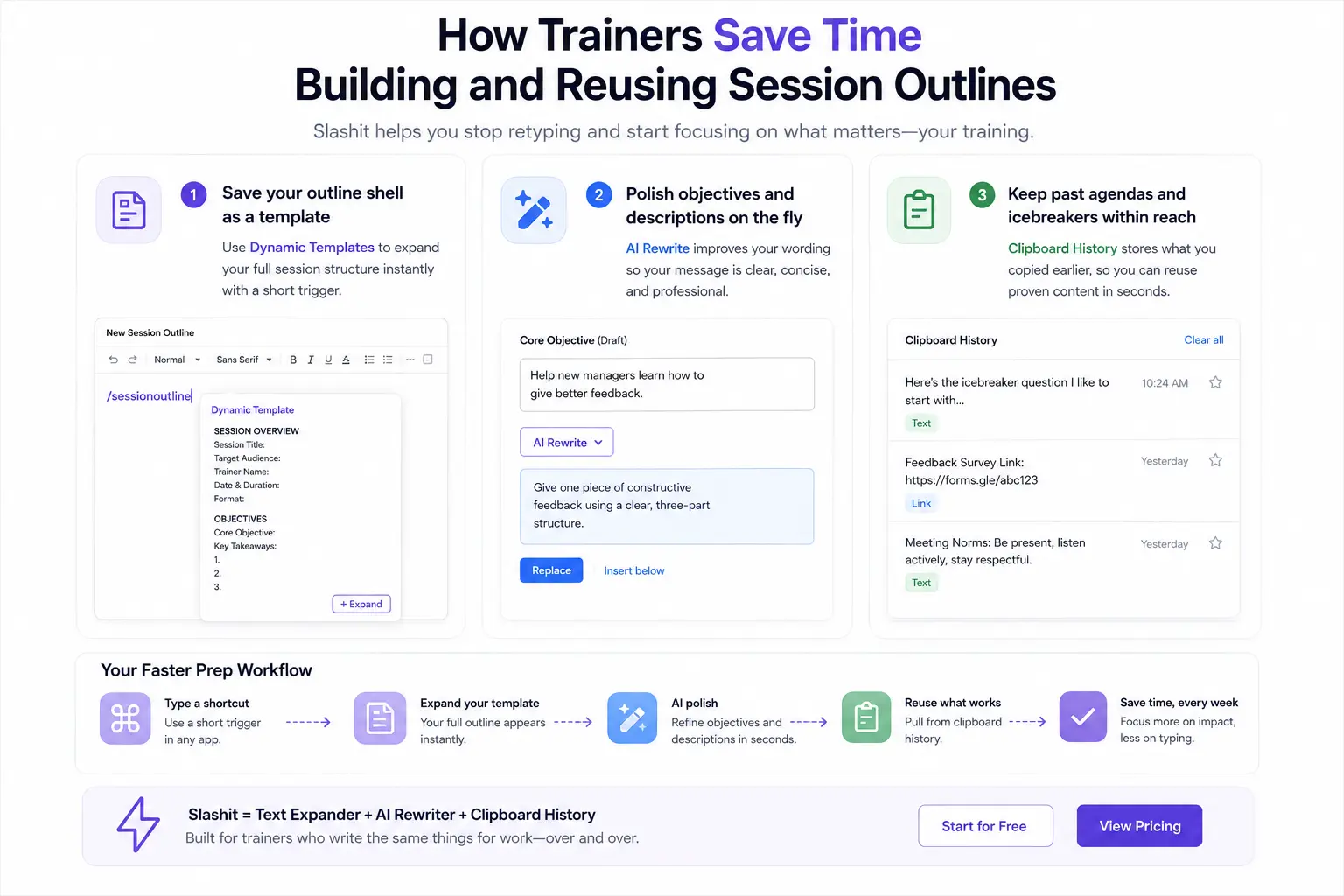
That repetitive typing is exactly what Slashit App is built to remove. It’s a text expander, AI rewriter, and clipboard history tool made for people who write the same things for work over and over. Here’s how each piece maps to a real training task:
- Save your whole outline shell as a template. With Dynamic Templates, you type a short trigger and your full session structure expands instantly into any doc, email, or LMS field, ready for you to fill in the session-specific details.
- Polish objectives and descriptions on the fly. AI Rewrite cleans up a rushed objective statement or a session description before it goes out to participants, right where you’re already typing.
- Keep past agendas and icebreakers within reach. Clipboard History holds onto what you copied earlier, so you can paste back a proven icebreaker or feedback survey link in seconds instead of digging through old files.
A good template gives your session its shape. A tool that removes the retyping is what actually makes that template fast to reuse week after week. If you manage a team on top of running training sessions, it’s worth checking out how Slashit works for managers too, since a lot of the same repetitive writing shows up there.
You can start free and see the time savings in your very first week of prep. Check the pricing page for the plan that fits how often you run sessions.
With your outline built and your prep workflow sorted, let’s clear up a few common questions trainers ask about this whole process.
Frequently Asked Questions
What is the difference between a training plan and a session outline?
A training plan covers a full program across multiple sessions or months, while a session outline covers just one class or workshop. Think of the plan as the whole book and the outline as a single chapter with its own beginning, middle, and end.
How long should a corporate training session outline be?
The outline document itself should fit on one or two pages, no matter how long the actual session runs. If your outline is longer than that, it’s probably listing content instead of structure.
What should a trainer include in a session outline for a virtual session?
Include everything a standard outline needs, plus the meeting link, breakout room plan, and a note on which tool you’ll use for polls or chat questions. Virtual sessions also benefit from shorter core content blocks since attention drops faster on screen than in person.
How do you measure if a training session outline worked?
Check completion of the stated objective, not just attendance. A quick exit ticket asking learners to demonstrate or restate the key takeaway tells you more than a satisfaction score ever will.
Can one outline template be reused across different training topics?
Yes. The structure, sections, and timing stay the same. Only the content inside each section changes, which is exactly why building a solid template pays off across your entire training calendar, not just one session.
Final Thoughts
A great training session doesn’t come from winging it with good energy. It comes from a structure you trust enough to fill in fast, session after session, without starting over each time.
Build the outline once. Get the timing right, get the objectives sharp, and get the practice block protected. After that, the only real work left is refilling the shell with new content and finding a faster way to do the repetitive parts around it, so your energy goes into the room, not the paperwork before it.
Good luck with your next session. Your future self, staring down another blank document at 9 PM, will thank you.
// more articles
 Template
 AI Dynamic Templates: What They Are and How They Work
AI dynamic templates combine reusable structures with smart placeholders. Learn how they work, real examples, and how to build your own today.
 Template
 Content Marketing Brief Template: The Complete Guide
A content marketing brief template that keeps writers aligned, cuts revisions, and speeds up content production, with a free copy-ready template.
 Alternatives
 Best Productivity Tools for Managers in 2026 (Tested and Compared)
A clear, no-fluff guide to the best productivity tools for managers in 2026, from task apps to tools that cut daily writing time in half.

// blog updates
