Best Clipboard Manager Tools in 2026 (Tested and Compared)


Founder & CEO, Slashit App
You copy something new and poof, the last thing you copied is gone. That’s the whole problem with your computer’s built-in clipboard. It holds one item. One. So the moment you copy a second link, that phone number or code snippet you needed five minutes ago just vanished.
A good clipboard manager fixes that. It keeps a running history of everything you copy so you can grab it back whenever you need it. In this guide, you’ll find the best clipboard manager tools in 2026, what each one does well, where it falls short, and how to pick the right one for how you actually work.
What to Look For in a Clipboard Manager in 2026
The best clipboard manager in 2026 gives you fast search, support for text and images, reliable sync, and local storage that keeps your data private. Everything else is a nice bonus.
Here’s what actually matters when you’re comparing options:
- Search speed. You should be able to hit a shortcut and find what you copied in seconds, not scroll through a messy list.
- Format support. Text is easy. Images, files, and HTML links are where cheaper tools start to struggle.
- Sync. If you switch between a laptop and a phone, your clipboard history should follow you.
- Privacy. Your clipboard sees passwords, private messages, and sensitive data. Local storage by default matters more than people realize.
- Price. Some tools are free forever. Others charge a yearly fee for features you might not even use.
Keep these five in mind as you go through the list below, since they’re the difference between a tool you actually use and one you forget about after a week.
Slashit: Best All-in-One Clipboard Manager, Text Expander, and AI Writing Tool
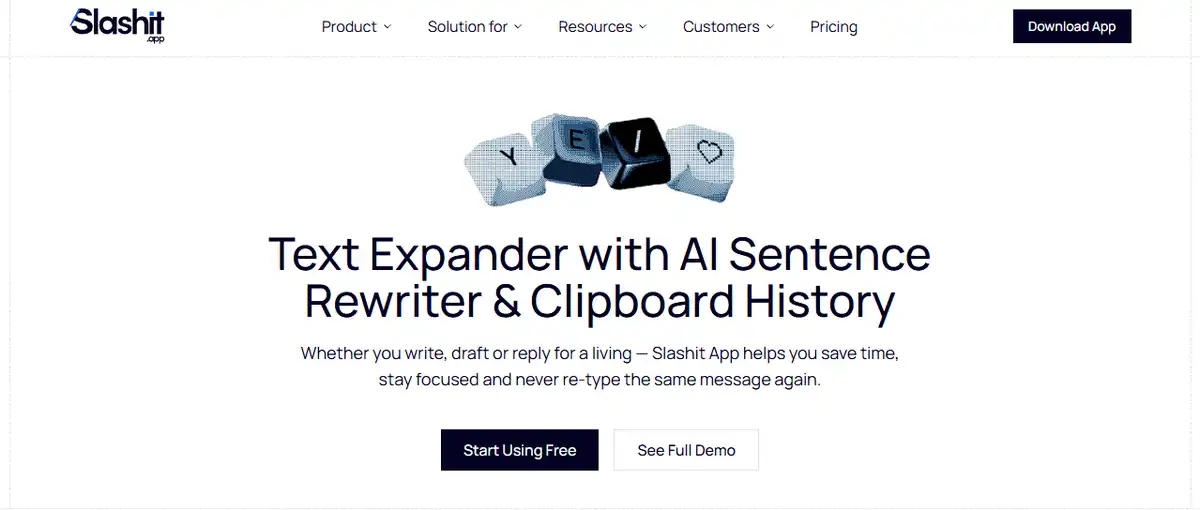
Slashit is the best pick if you want clipboard history, text expansion, and AI writing help in one tool instead of three separate apps. That’s the gap every other tool on this list leaves open.
Here’s the thing about clipboard managers. They’re reactive. Something lands in your clipboard, the app saves it, and you dig it back out later. That’s genuinely useful, but it only solves half of what people who write and reply all day actually need. The other half is not having to retype the same reply, proposal line, or support answer over and over in the first place.
Slashit tackles both sides. It gives you a proper clipboard history so nothing you copy gets lost. But it also gives you dynamic snippet templates you can trigger with a short code, so instead of retyping a whole email, you type a few characters and the full message appears, filled in and ready to send. And when what you’ve written needs a little polish, its AI rewrite feature cleans it up on the spot, without you copying it out to another app first.
Picture this. You’re a support agent handling the same three questions fifty times a day. Or you’re a founder sending nearly identical outreach messages to a dozen leads. With a regular clipboard manager, you’re still typing most of the message by hand every time. With Slashit, you type a short code, the template fills in, and you tweak the details before sending. That’s minutes back in your day, every single day.
It works on both Mac and Windows, which already puts it ahead of Mac-only tools like Paste. And it’s built to work inside the apps you already use, including Slack, Gmail, Notion, and WhatsApp, without needing a single integration set up first.
Slashit is especially useful if you fall into one of these groups:
- Freelancers sending the same proposal and follow-up emails on repeat
- Support teams answering the same customer questions all day
- Sales reps personalizing outreach without starting from scratch each time
- Founders juggling investor updates, hiring emails, and customer replies
You can check the pricing page to see what fits your setup, and there’s a free way to start if you just want to try it before committing.
Best for: Anyone who copies and pastes constantly but also finds themselves retyping the same messages daily, not just retrieving old clips.
That’s seven solid tools, each built for a different kind of user. Here’s how they stack up side by side.
Paste: Best Clipboard Manager for Mac and iCloud Sync
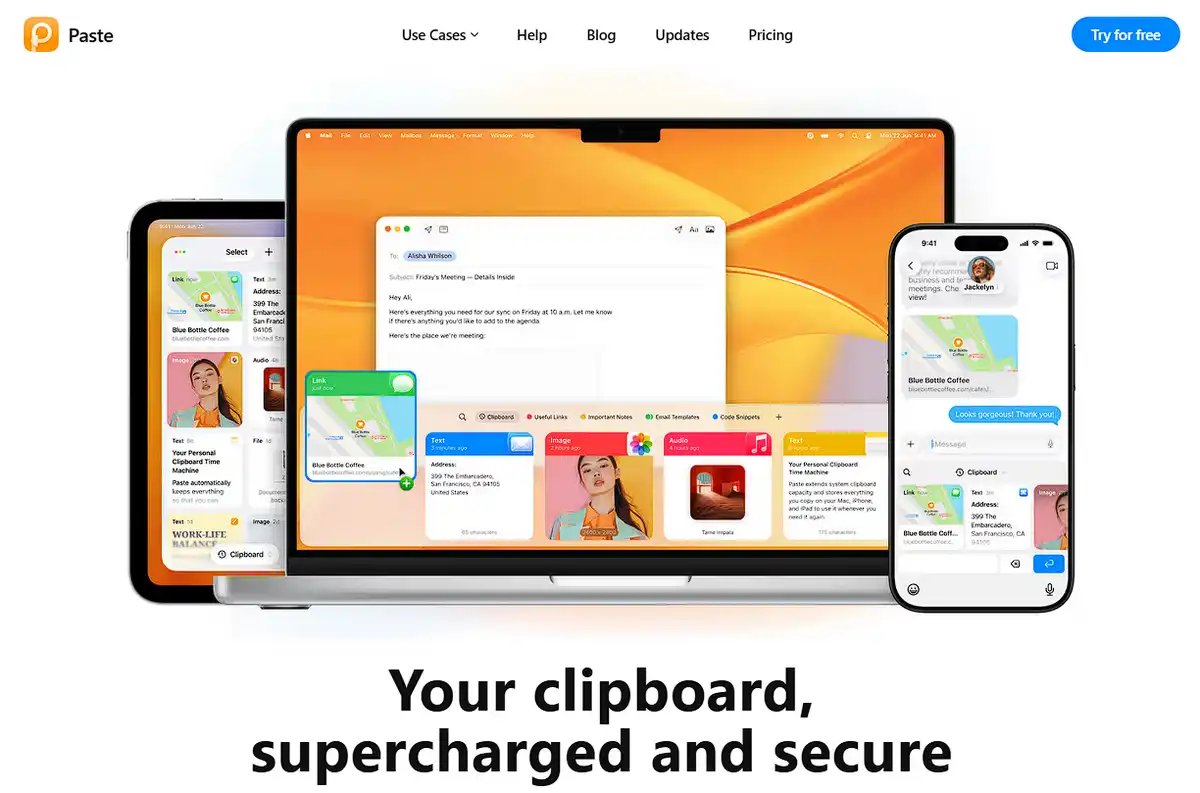
Paste is the best clipboard manager for Mac users who want their clipboard history synced across every Apple device. It’s been the gold standard for Mac users for years, and the 2026 version still earns that reputation.
What makes Paste stand out is the visual timeline. Every item you copy shows up as a card you can scroll through, so instead of hunting through a plain text list, you’re browsing a clean, organized strip of everything you’ve copied recently. Hit Shift, Command, and V, and your whole history opens up right there.
Paste also added Apple Intelligence integration recently, which means you can now search inside images using OCR, not just text. Small teams get Shared Pinboards too, so you can curate and share a collection of clips with your team.
Here’s the catch. Paste costs $29.99 a year, and it only works on Mac, iPhone, and iPad. If you touch a Windows machine at any point in your day, Paste can’t help you there.
Best for: Mac-only users who want a polished, visual way to browse clipboard history and don’t mind paying for it.
Now, if you’re on Windows or split between platforms, Paste is off the table. Here’s where the free options come in.
Maccy: Best Free, Lightweight Clipboard Manager for Mac
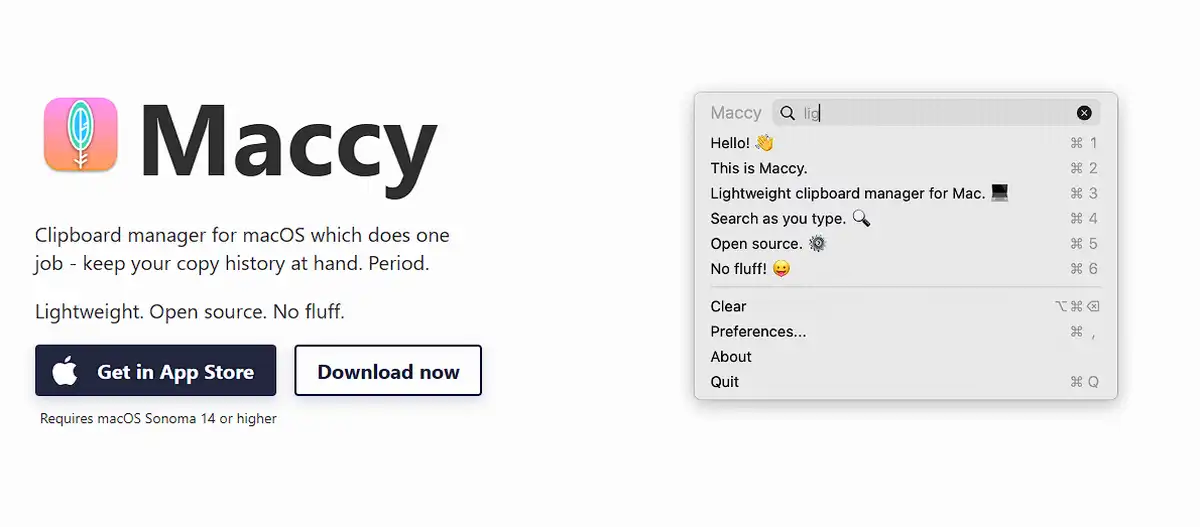
Maccy is the best free clipboard manager for Mac if you want something fast, minimal, and out of your way. It doesn’t try to be flashy. It just works.
Where Paste gives you a visual timeline, Maccy gives you speed. You hit a shortcut, a simple list pops up, you search with your keyboard, and you’re done. No cards, no animations, just text and images ready to grab. It’s built for people who’d rather type three letters to find a clip than scroll through a gallery.
Maccy is also privacy focused by design. It automatically excludes sensitive data like passwords from being saved, which matters more than most people think about until something goes wrong.
You can grab Maccy for free on GitHub, or pay a small one-time fee for the Mac App Store version if you’d rather support the developer that way. Either way, you’re getting the same app.
Best for: Mac users who want a lightweight, keyboard-driven tool and don’t need cross-device sync.
If you’re on Windows instead, Maccy won’t help you. But there’s a Windows-native option that’s been around even longer.
Ditto: Best Free Clipboard Manager for Windows
Ditto is the best free clipboard manager for Windows, and it has been since 2003. Two decades of reliability counts for something, and Ditto has earned its spot as the default recommendation for Windows users.
Ditto captures everything, text, images, files, and HTML, and stores it all locally with instant search. It extends the clipboard history that Windows already has built in, giving you unlimited saves instead of a limited list. You can even share your clipboard across multiple Windows machines on the same local network, which is handy if you work across a couple of desktops.
The tradeoff is the interface. Ditto looks like it hasn’t been touched since Windows XP, and honestly, it hasn’t changed much. There’s no cloud sync either, only local network sync, and no mobile companion app if you want your clips on your phone.
Best for: Windows users who want a free, battle-tested tool and don’t care about looks or mobile access.
That covers the two big single-platform picks. But what if you want more control over what happens to your clips, not just where they’re stored?
CopyQ: Best Clipboard Manager for Power Users and Automation
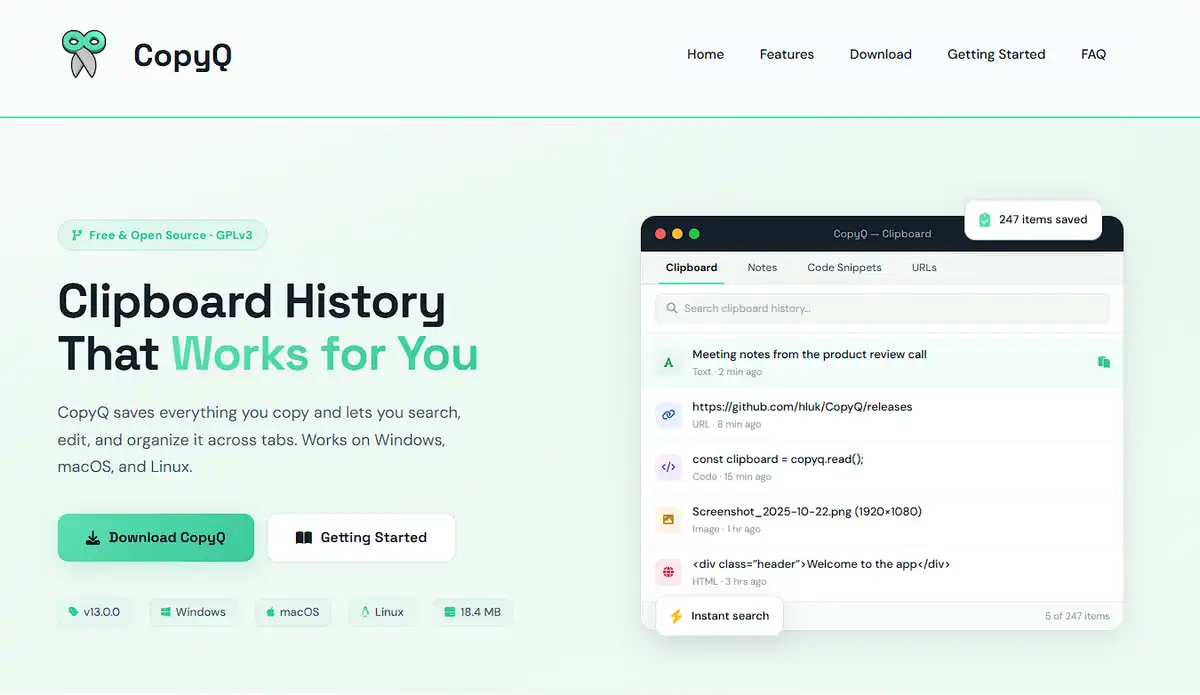
CopyQ is the best clipboard manager for anyone who wants to script and automate what happens to their clipboard, not just store it. If Ditto is the reliable workhorse, CopyQ is the toolbox.
It runs on Windows, Mac, and Linux, and it’s free and open source across all three. The real draw here is scripting. You can write custom commands that trigger automatically when something hits your clipboard. Strip HTML formatting from a copied web article. Append a timestamp to every clip. Run a shell command the moment you copy a specific type of text. If you can imagine an automation, CopyQ can probably run it.
That power comes with a learning curve, though. CopyQ isn’t the tool you install and forget. It rewards people who are willing to dig into its settings and command system.
Best for: Developers and power users who want a scriptable clipboard manager they can bend to their workflow.
If scripting sounds like overkill and you’d rather your clipboard tool just show up inside something you already use daily, this next option might fit better.
Raycast and Alfred: Best Clipboard History Inside a Launcher
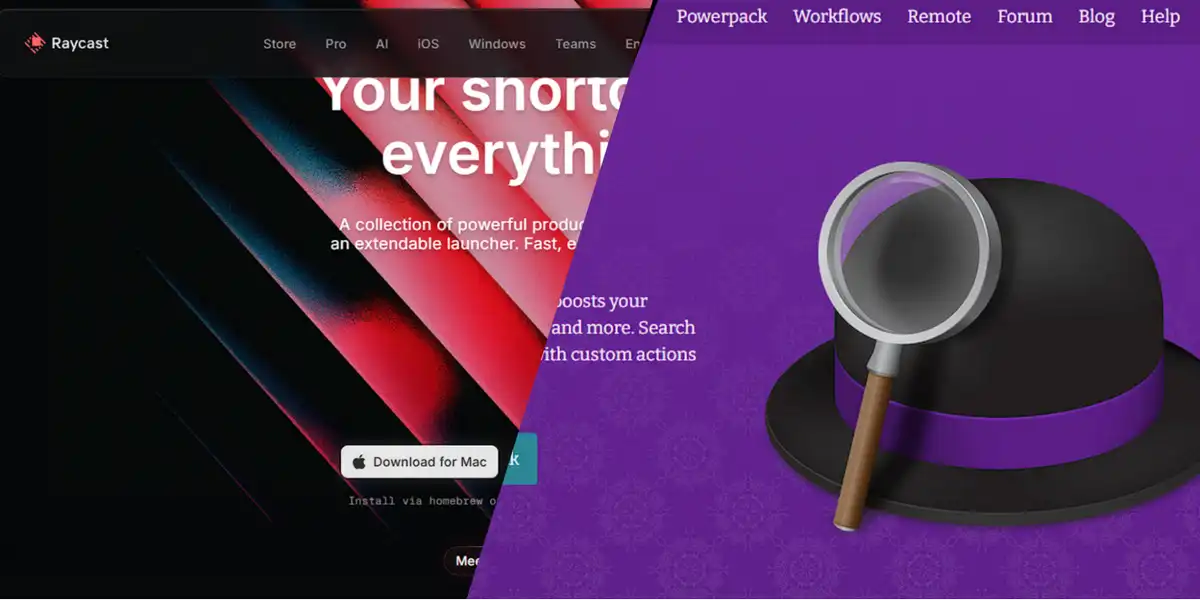
Raycast and Alfred are the best choice if you already use an app launcher on Mac and want clipboard history as a built-in bonus, not a separate app. Neither one was built to be a clipboard manager first. That’s just part of what they do.
Raycast’s free tier keeps a limited clipboard history, and unlimited retention sits behind Raycast Pro at $8 a month. Alfred works a bit differently. Its clipboard history and other advanced features live inside the Powerpack, which is a one-time purchase instead of a subscription. Over a few years, that pricing model tends to work out cheaper if you don’t need Raycast’s AI extras.
The downside for both is the same. You’re adopting an entire launcher just to get clipboard history as a side feature, and it won’t go nearly as deep as a dedicated clipboard tool.
Best for: People who already use Raycast or Alfred daily and want clipboard history without installing another app.
Every tool so far solves half the problem. It helps you find what you already copied. None of them help you avoid retyping the same message for the tenth time this week. That’s where Slashit changes the equation.
Clipboard Manager Comparison Table
If you just want the short version, here’s every tool from this list compared on platform, price, and what it’s actually best at.
| Tool | Platform | Price | Best For |
|---|---|---|---|
| Slashit | Mac, Windows | Free to start, see pricing | Clipboard history plus text expansion and AI rewrite |
| Paste | Mac, iOS, iPad | $29.99/year | Visual clipboard timeline with iCloud sync |
| Maccy | Mac | Free (or small one-time fee) | Lightweight, keyboard-first clipboard access |
| Ditto | Windows | Free | Unlimited free clipboard history |
| CopyQ | Windows, Mac, Linux | Free | Scriptable automation for power users |
| Raycast | Mac (Windows exists) | Free tier, $8/month Pro | Clipboard history inside a launcher |
| Alfred | Mac | One-time Powerpack fee | Clipboard history with a one-time cost |
A table like this is handy for a quick scan, but the right pick really comes down to how you work day to day. So let’s break that down.
How to Choose the Right Clipboard Manager for Your Workflow
The right clipboard manager for you depends on your platform, your budget, and whether you just need to retrieve old clips or also want to stop retyping messages altogether.
Here’s a simple way to think about it:
- You’re Mac-only and want the prettiest option: go with Paste, especially if you’re already synced into iCloud across your devices.
- You’re on Windows and don’t want to pay a cent: Ditto has been reliable since 2003 and it’s still free.
- You love automating everything: CopyQ gives you the scripting power to build your own clipboard rules.
- You already live inside Raycast or Alfred: just use the clipboard feature that’s already sitting there.
- You write, reply, or support customers for a living: this is where Slashit pulls ahead, since it combines clipboard history with snippets and AI rewriting instead of making you juggle three separate tools.
- You manage a team or run marketing campaigns: check out Slashit for managers or Slashit for marketers to see how the templates fit your specific workflow.
There’s no single winner here. There’s just the tool that matches how you actually spend your day. And if a big chunk of your day is spent typing similar messages to different people, that’s the clearest sign you need more than a plain clipboard manager.
Frequently Asked Questions
What is the best clipboard manager in 2026?
There’s no single best one for everyone. Paste wins for Mac design, Ditto wins for free Windows use, and Slashit wins if you want clipboard history bundled with text expansion and AI rewriting in one tool.
Is there a free clipboard manager for Windows?
Yes. Ditto is completely free and has been trusted by Windows users since 2003. It captures text, images, and files with no subscription required.
Can a clipboard manager also expand text snippets?
Some can. Slashit combines clipboard history with dynamic templates that expand short codes into full messages, so you’re not switching between separate apps for each task.
Are clipboard managers safe to use?
Most reputable ones store your data locally on your device instead of uploading it to the cloud. Look for tools that clearly state where your clipboard data lives before you install anything.
Do clipboard managers work across multiple devices?
It depends on the tool. Paste syncs through iCloud, Ditto only syncs across Windows machines on the same network, and Slashit works across both Mac and Windows so your workflow isn’t locked to one platform.
Final Thoughts
Your clipboard shouldn’t forget everything the second you copy something new. Any of the tools on this list will fix that basic problem. But if you’re tired of also retyping the same replies, proposals, and messages every single day, a plain clipboard manager only solves half your problem.
That’s the gap Slashit fills. It keeps your clipboard history, expands your snippets, and cleans up your writing, all in one place. If you write or reply for a living, give it a try and see how many minutes you get back in a day.
// more articles
 Productivity
 10 Best Grammarly Alternatives in 2026: Free and Paid
Comparing the best Grammarly alternatives for 2026 by price, AI customization, and use case, so you can find the right fit fast and skip the guesswork.
 Productivity
 Text Expander for Founders: Save Hours Every Week
A text expander for founders turns investor updates, cold outreach, and hiring replies into one hotkey. Compare tools, get templates, and set up in minutes.
 Productivity
 Text Expander for Managers: Stop Retyping the Same Messages
A text expander for managers turns repeated messages into instant shortcuts. See how tools like Slashit save managers hours every week.

// blog updates
