Brand Deal Pitch Template for Content Creators (Copy & Send)


Founder & CEO, Slashit App
You’ve got the follower count. You’ve got the engagement. What you don’t have is thirty minutes to write a fresh pitch every time a new brand catches your eye. So you either send the same tired paragraph to everyone, or you stall out and never send anything at all.
Both cost you money. Brands don’t wait around for a perfectly worded email. They move on to the next creator in their inbox. One influencer marketing platform’s outreach data puts it bluntly: personalized, well-researched pitches land response rates several times higher than generic ones, while identical mass-sent messages barely clear single digits.
This guide gives you a content creator brand deal pitch template you can copy right now, plus the small tweaks that turn a generic ask into a signed deal. We’ll cover what to personalize, which subject lines get opened, what to include and leave out, how to adjust your pitch for a brand that already knows you versus one that doesn’t, and how to follow up without sounding desperate.
You don’t need a marketing degree or a fancy deck to do this well. You need one solid template, a short list of things to swap out each time, and a system for sending it fast enough that pitching doesn’t eat your whole afternoon.
What Does a Content Creator Brand Deal Pitch Template Actually Look Like?
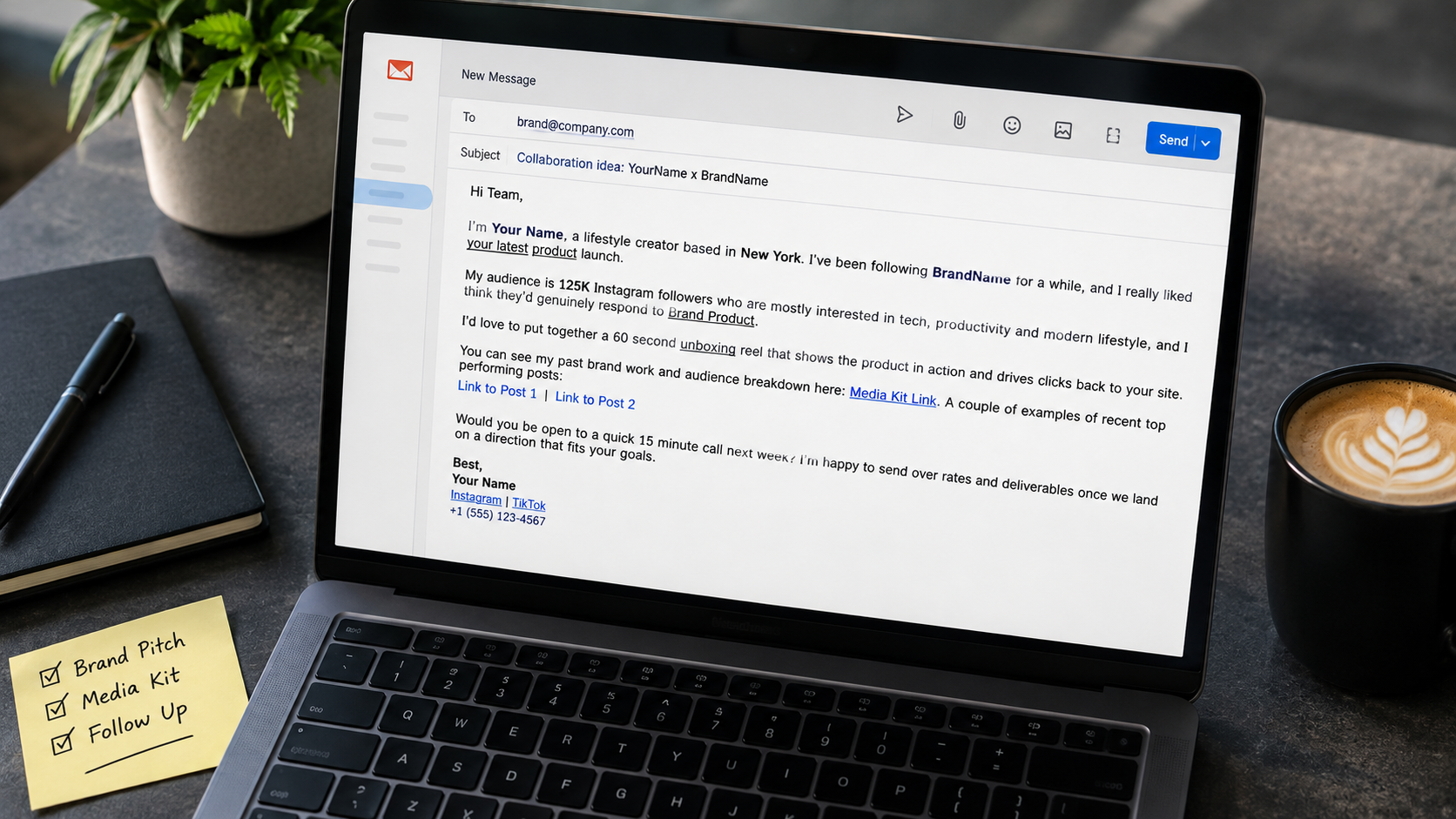
Here’s a brand pitch email template that covers everything a brand needs to say yes: who you are, why you’re reaching out, what you’ll create, and what happens next.
Subject: Collaboration idea: [Your Name] x [Brand Name]
Body:
Hi [Name or “Team”],
I’m [Your Name], a [your niche] creator based in [your city]. I’ve been following [Brand Name] for a while, and I really liked [specific product, launch, or campaign].
My audience is [follower count] [platform] followers who are mostly [core interest or pain point], and I think they’d genuinely respond to [Brand Product].
I’d love to put together [content idea, like a 60 second unboxing reel or a 3 part styling series] that shows the product in action and drives clicks back to your site.
You can see my past brand work and audience breakdown here: [Media Kit Link]. A couple of examples of recent top performing posts:
[Link to Post 1] [Link to Post 2]
Would you be open to a quick 15 minute call next week? I’m happy to send over rates and deliverables once we land on a direction that fits your goals.
Best, [Your Name] [Main platform link] [Secondary platform link] [Phone number, optional]
That’s the skeleton. It works for Instagram, TikTok, YouTube, or a blog, since the structure doesn’t depend on your platform. What changes is the proof you plug into it: views and shares for video creators, click through and conversion numbers for bloggers, saves and shares for anyone on Instagram.
Every bracket needs to change based on who you’re pitching, and that’s exactly what separates a pitch that gets a reply from one that gets deleted.
What Should You Personalize Before You Hit Send?
Swap out more than just the brand name, or the brand will spot a copy paste template in three seconds flat.
Marketing teams read dozens of these emails a week. They know what a mass blasted template looks like, and a pitch that only changes [Brand Name] and nothing else reads exactly like one. The fix isn’t writing from scratch every time. It’s knowing which three or four lines actually need fresh thought.
Focus your editing time here:
- The specific product or campaign line. Name an actual product, color, or recent launch. Not “your amazing products.”
- The audience-fit line. Connect your specific audience to their specific product, not a vague claim that your followers “love beauty.”
- The content idea. A concrete format, like a get-ready-with-me video or a comparison post, beats “I’d love to create content for you.”
- The opening line. Reference something recent: a launch, a rebrand, a post you actually liked.
Everything else, the structure, the CTA, the sign off, can stay the same every time. That’s the whole point of a template. You’re not rewriting the email, you’re refilling four specific slots with something true.
Here’s the difference in practice. A generic line reads: “I love your products and think my audience would enjoy them.” A personalized line reads: “Your new SPF stick caught my eye since half my comments are people asking for a lightweight sunscreen that doesn’t leave white cast.” The second version proves you actually looked, and it gives the brand a reason that’s specific to them, not copy paste flattery that could apply to any company in the same category.
Once those four lines are dialed in, the subject line is what decides whether anyone reads them at all.
Which Subject Lines Actually Get Your Pitch Opened?
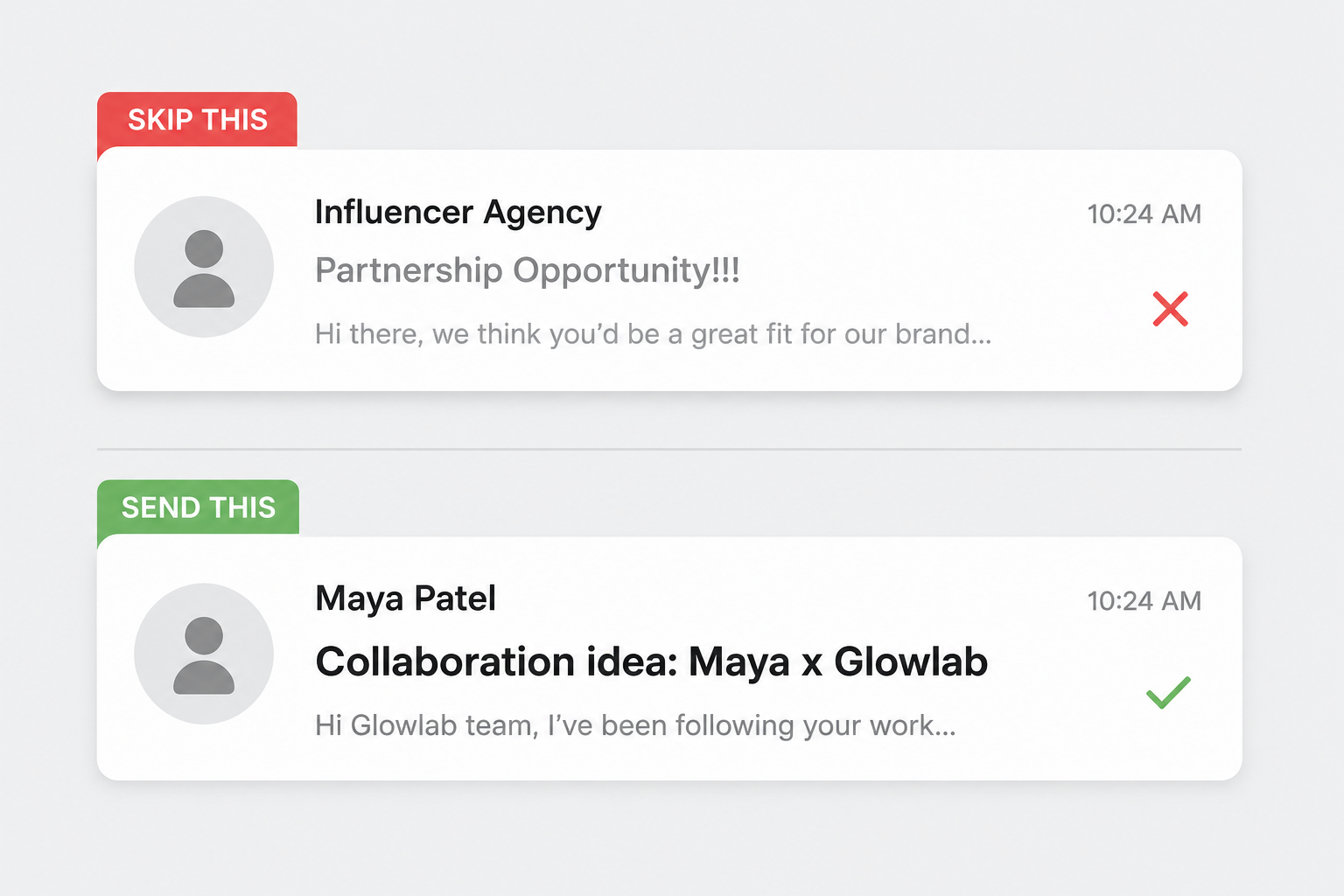
Name the collaboration and the brand in the subject line, and skip anything that sounds like a mass email.
Marketing inboxes are full of vague subject lines like “Partnership Opportunity” or “Collab?” that get ignored on sight. A good subject line tells the reader exactly what’s inside before they open it.
A few formulas that work well:
- Collaboration idea: [Your Name] x [Brand Name]
- [Content format] idea for [Brand Name]
- Loved your [specific product], have a content idea
- [Your Name], [niche] creator, quick collab idea
Keep it under eight words. Skip exclamation points and words like “amazing” or “huge opportunity.” Brands read those as spam, not enthusiasm.
With the subject line sorted, the next question is where you actually find brands worth writing to in the first place.
How Do You Find Brands Worth Pitching?
Start with brands you already use and tag in your content, then expand to brands your competitors are working with.
Pitching at random wastes time on both sides. A brand that’s never run an influencer campaign is a much harder yes than one that’s actively looking for creators right now. Before you send a single email, spend twenty minutes finding brands that are already primed to say yes.
A few reliable places to look:
- Products you already own and post about. If you’ve tagged a brand organically before, you’re a warm lead already, not a cold one.
- Competitor tags. Search a similar creator’s recent posts for brand tags and sponsored disclosures. If they’re paying a creator like you, they’re worth a pitch.
- Brand career or partnership pages. Many brands list an “influencer” or “creator partnerships” application, which usually gets read faster than a cold email to a general inbox.
- Affiliate or UGC platforms. Networks built for creator and brand matching often show which brands are actively recruiting right now, which saves you the guesswork.
Once you’ve got a short list of five or ten brands that make sense for your niche, it’s time to get the actual pitch right.
What Should You Include and Leave Out of Your Pitch?
Lead with value and proof, and save your rate card for after they’ve expressed interest.
A strong pitch answers three questions fast: who are you, why does your audience matter to this brand, and what will you actually make. Anything that doesn’t answer one of those three questions is filler.
Include:
- Your name, niche, and location in one sentence
- A specific reason you’re reaching out to this brand, not a generic compliment
- Follower count and engagement rate for your primary platform
- One or two links to your best performing, most relevant content
- A media kit link, not an attachment
- A clear next step, like a 15 minute call
Leave out:
- Your full rate card on first contact. Wait until they’re interested, then send it.
- Every platform you’re on. Pick the one or two that matter for this brand.
- Long paragraphs about your personal story. Save that for the media kit.
- Generic praise like “I love your brand.” Say what you love specifically.
This list works whether you’re a nano creator with a few thousand followers or someone with a media kit full of six figure campaigns. The size of your following changes your numbers, not your structure.
Now that you know what belongs in the pitch, the next decision is how much to adjust it depending on whether the brand already knows who you are.
How Should You Adjust the Template for a Cold Pitch vs a Warm Pitch?
Cold pitches need more proof up front, while warm pitches can skip straight to the idea.
A cold pitch goes to a brand that has never heard of you. A warm pitch goes to a brand that already follows you, has liked your posts, or has worked with a friend of yours. The template stays the same, but the emphasis shifts.
For a cold pitch to brands you’ve never talked to:
- Open with proof before ideas. Mention your engagement rate or a standout campaign result in the first two lines.
- Reference something specific about the brand to prove you did your homework.
- Keep the ask small. A 15 minute call is easier to say yes to than “let’s partner.”
For a warm pitch to a brand that already knows you:
- Skip most of the introduction. Get straight to the content idea.
- Reference the existing relationship directly, like a comment they left or a past interaction.
- You can suggest a specific deliverable and timeline instead of just asking for a call.
Here’s a quick side by side of how the emphasis shifts:
| Element | Cold Pitch | Warm Pitch |
|---|---|---|
| Opening line | Lead with proof and results | Lead with the content idea |
| Introduction | Full, since they don’t know you | Short or skipped entirely |
| Brand research | Mention something specific you found | Reference the existing interaction |
| The ask | Small, like a 15-minute call | Can be a specific deliverable and date |
Either way, the goal of the first email is the same: get a reply, not a signed contract. Once you’ve sent it, timing your follow-up matters just as much as the pitch itself.
How Do You Follow Up Without Being Annoying?
Send one polite follow up seven to ten days after your first email, and stop there if you still hear nothing.
Brands are busy, and a pitch sitting unread in an inbox doesn’t mean a no. It usually means it got buried. One follow up is expected and welcome, and outreach data backs this up: a single well-timed follow-up can meaningfully lift your reply rate compared to sending one email and going quiet. Three follow-ups in one week reads as pushy, though, and can quietly end your chances with that brand for good.
A simple follow up template:
Hi [Name], just wanted to bump this up in case it got buried. Still excited about the idea for [Brand Product], happy to jump on a quick call whenever it works for you.
Keep it short. Don’t repeat the entire original pitch, and don’t add new information. The goal is a gentle nudge, not a second sales pitch.
If you still don’t hear back after that, move on. Some brands work on longer approval cycles, and a quiet no now doesn’t rule out a yes down the road if you check back in a few months.
Sending, personalizing, and following up on pitches like this dozens of times a month is where most creators start looking for a faster system, and that’s exactly where a tool like a text expander earns its place.
How Do You Turn This Template Into a Reusable Snippet?
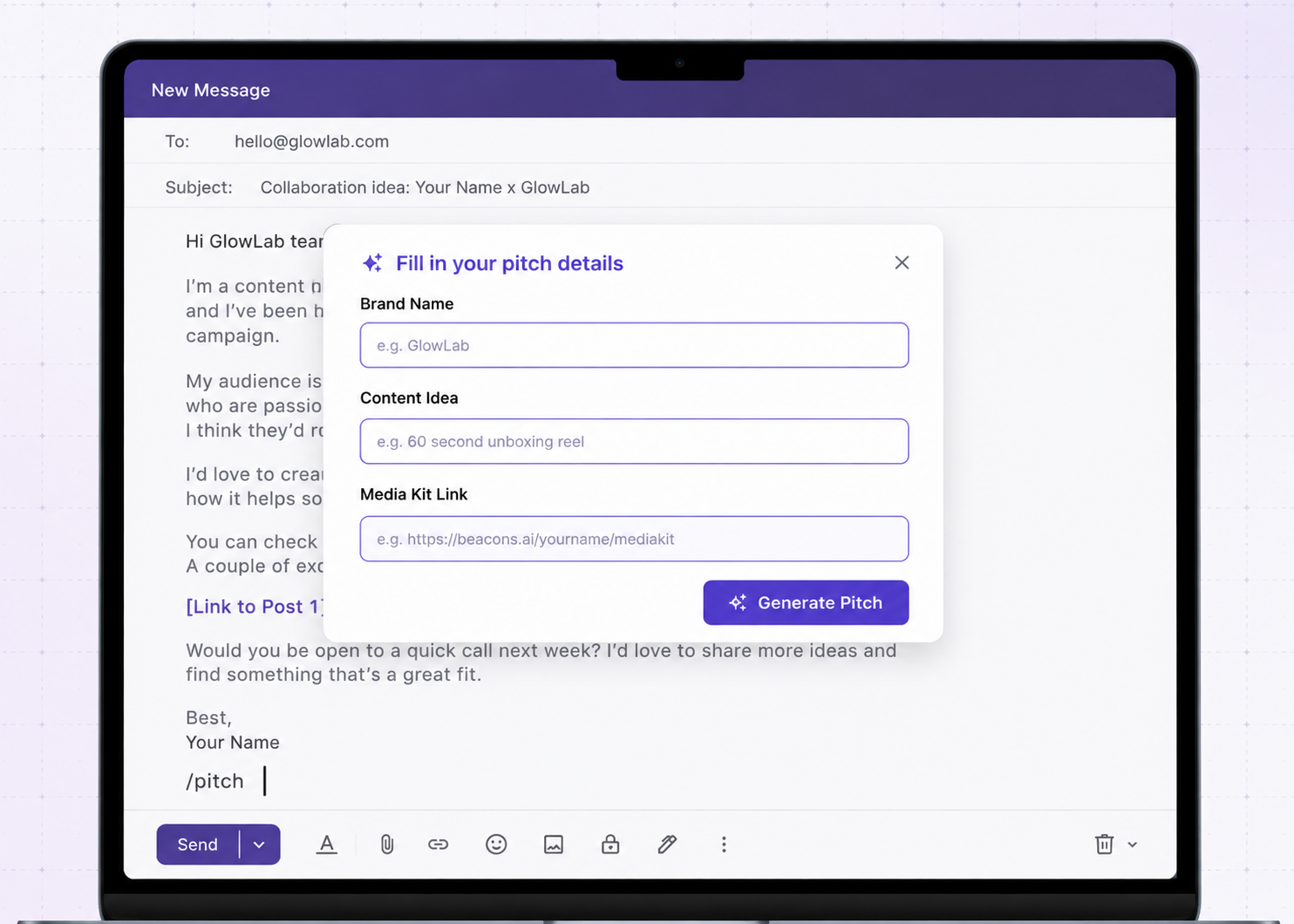
Save this template as a short code once, and you’ll type the whole structure in seconds instead of rebuilding it from scratch every time you pitch a brand.
Picture the actual moment this happens. You spot a brand’s new launch on your feed, open your inbox, and instead of hunting through old sent mail for the last pitch you wrote, you type a short trigger like /pitch. A small popup asks for the brand name, the content idea, and your media kit link. You tab through three fields, hit send, and you’re back to filming before the coffee gets cold. That’s the whole workflow a dynamic template is built for: a snippet with fillable fields instead of a static block of text you copy and retype by hand.
A few ways creators use it specifically for brand outreach:
- Dynamic placeholders for the brand name, product, and content idea, so you fill in four fields instead of retyping four paragraphs. Slashit’s snippet system is what stores the base template so it’s always one short code away.
- AI sentence rewriter to quickly adjust the tone of your opening line so it doesn’t read like the same email you sent the last five brands, without starting over. The AI rewrite tool handles this inline, right where you’re typing.
- Clipboard history to grab your media kit link or a post URL from something you copied earlier, even hours ago, without hunting through old tabs. Slashit’s clipboard history keeps the last hundred things you’ve copied one hotkey away.
No integration needed, so the same snippet works whether you’re pitching from Gmail, sliding into a brand’s Instagram DMs, or messaging a manager on WhatsApp.
You still write the real template once. After that, sending a personalized pitch to ten brands in an afternoon takes minutes instead of an evening.
With the template built and a system to send it fast, a few common questions usually come up before creators hit send on their first pitch.
FAQ: Brand Deal Pitch Templates
Do I need a media kit before I start pitching brands?
Yes, at least a basic one. A single page media kit with your follower count, engagement rate, audience demographics, and two or three past collaborations is enough to start. You can build it out further as you land more deals.
How do I pitch brands with no followers or a small audience?
Lean on engagement rate and niche relevance instead of raw numbers. A tightly focused audience of a few thousand people who trust your recommendations often pitches better than a broad, disengaged following. Mention your niche and engagement rate high up in the email.
Should I mention my rate in the first pitch email?
No. Wait until the brand responds with interest, then send your rate card as a follow-up. Leading with pricing before they’ve seen your work can end the conversation before it starts.
How many brands should I pitch per week?
There’s no fixed number, but five to ten well personalized pitches a week is more effective than fifty generic ones. Quality of personalization matters more than volume here, and it’s the same logic behind why text expander tools have become a staple for freelancers and creators alike: speed only helps if the personalization holds up.
What’s the best way to find the right contact at a brand?
Check the brand’s Instagram or website for a marketing or partnerships contact first. If you can’t find one, “hello@” or the general marketing inbox works, just address it to “Team” instead of a name and keep the pitch just as personalized.
Should I attach my media kit as a file or send it as a link?
Send it as a link. Attachments slow down a brand’s inbox and some spam filters block emails with unfamiliar attachments outright. A link to a media kit hosted on your website, a PDF hosting tool, or a simple one-page site is faster to open and easier to share internally on the brand’s side.
Is it worth pitching the same brand twice if they said no before?
Yes, as long as some real time has passed and something has changed. A new product launch, a bigger following, or a fresh piece of content that fits their brand can all be good reasons to check back in three to six months later. Reference the earlier conversation briefly so it doesn’t read as a cold pitch all over again.
Final Thoughts: Build the Pitch Once, Send It Everywhere
A good content creator brand deal pitch template only helps if you actually send it, consistently, to the right brands, with enough personalization to stand out. Build the template once, keep four or five lines flexible for each brand, and follow up exactly once.
The creators who land the most brand deals aren’t necessarily the ones with the biggest following. They’re the ones who pitch consistently because pitching doesn’t feel like a chore anymore. That’s the entire value of a template: it turns a thirty minute mental block into a five minute task, so you actually send the email instead of letting the tab sit open until the moment passes.
If you’re pitching more than a couple of brands a week, saving this template as a snippet in a tool like Slashit means you spend your time finding the right brands instead of retyping the same email.
// more articles
 Workflow
 How to Write Faster on Mac & Windows Without Touching AI Tools
Slow typing isn't a productivity problem — it's a setup, posture and habits problem. Here's how to double your writing speed on Mac and Windows without using AI.
 Workflow
 How to Increase Typing Speed: Complete Guide to Typing Faster & More Accurately
Stop letting slow typing bottleneck your work. Master finger placement, ergonomics, daily drills and smart shortcuts to type faster, more accurately and with less fatigue.
 Workflow
 What Is Shorthand Writing? Meaning, Examples & Modern Alternatives
Shorthand is a fast way to write using short forms, symbols and abbreviations. Here's what it is, how it works, examples to start using today and modern digital alternatives.

// blog updates
